
Introduction
The Pimax Crystal Super is capable of delivering an exceptional visual experience. However, reaching that level consistently depends less on raw hardware and more on how well the system is configured.
Over time, it becomes clear that many of the perceived limitations are not caused by the headset itself, but by a combination of small setup decisions that add up.
This guide brings together the most important aspects of optimizing the Crystal Super, covering software configuration, optical calibration, performance tuning, and overall comfort.
Video
![[EN] Maximize Crystal Super Performance](https://vrkomplize.de/wp-content/uploads/2026/04/En-Super-Maximum-1024x576.webp)
Pimax Play – Establishing a Solid Baseline
Before moving into more advanced topics, it is essential to ensure that the basic configuration is correct.
Firmware and Software Updates
The first step is straightforward:
All components should be up to date.
- headset firmware
- controller firmware
- Pimax Play
Regular updates from Pimax have noticeably improved stability and tracking performance. In many cases, issues that appear hardware-related are resolved through software updates.
Looking for the Pimax Crystal Super?
Visit my Pimax Buying Guide for an overview of all current Pimax headsets, optical engines, recommended accessories, and the latest product links.
Render Resolution
Render resolution is the most influential setting when it comes to image quality and system load.
A common approach is to simply increase it to the maximum. In practice, this often leads to unstable performance without a proportional gain in visual clarity.
A more effective strategy is to:
- start at a moderate level
- increase gradually
- evaluate stability alongside image quality
Given the high-resolution panels of the Crystal Super, even small adjustments can significantly affect system performance.
Sharpening
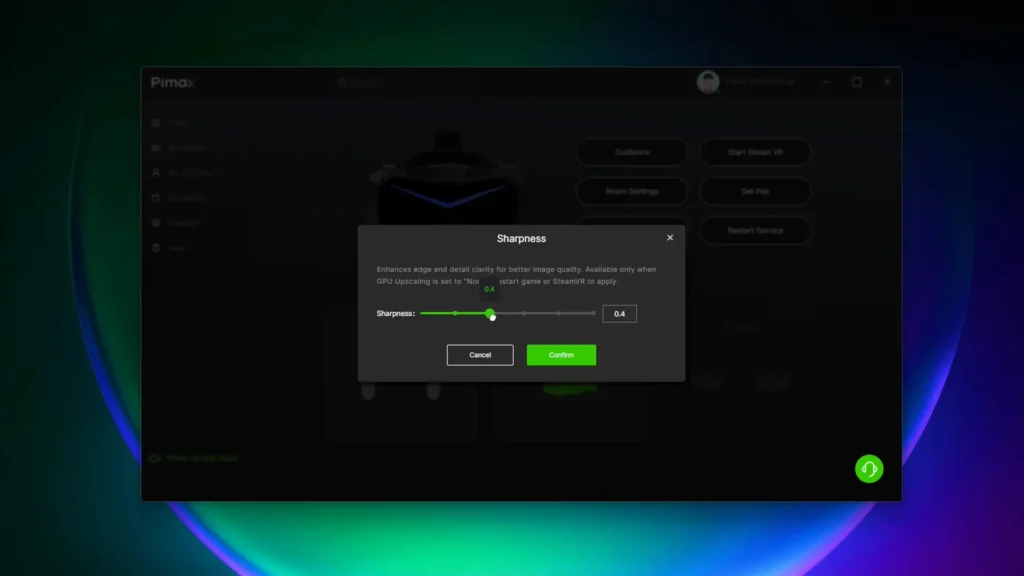
Sharpening is frequently overlooked, yet it offers a noticeable improvement with minimal performance cost.
Typical values in the range of:
+0.3 to +0.5
tend to produce a clearer image without introducing an artificial look.
In combination with a slightly reduced render resolution, sharpening can help maintain perceived image quality while improving overall performance.
Eye Tracking Calibration
Accurate eye tracking is essential, particularly when using foveated rendering.
If the focus area behaves inconsistently or IPD values appear incorrect, recalibration is often sufficient to resolve the issue.
IPD & IPD Offset – Optical Calibration
IPD (interpupillary distance) is one of the most critical factors for achieving a natural and comfortable image in VR.
Automatic vs. Manual IPD
The Crystal Super provides two approaches:
- automatic IPD based on eye tracking
- manual IPD adjustment
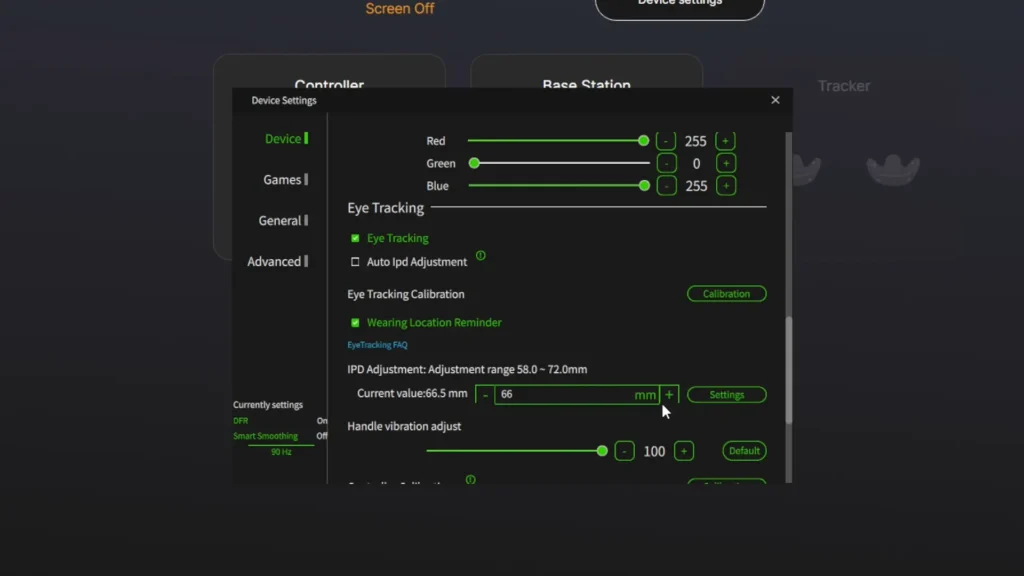
The automatic value reflects the effective position of the eyes within the headset, rather than the anatomical measurement alone. This can result in higher accuracy under ideal conditions.
To better understand the difference, a direct comparison can be helpful.
A professionally measured IPD of approximately 65.5 mm may differ noticeably from the automatically calculated value, which can exceed 68 mm depending on headset positioning.
This discrepancy is expected. The anatomical IPD remains constant, whereas the effective IPD within the headset changes with positioning, angle, and fit.
Practical Considerations
When using a manual IPD value, the headset must be positioned carefully:
- centered and level
- neither too high nor too low
- evenly balanced
Otherwise, even a technically correct value may result in suboptimal visual alignment.
In practice, the most reliable indicator is not the numerical value, but the perceived result:
- a stable image
- natural depth perception
- minimal eye strain
IPD Offset
While IPD determines the base alignment, the IPD offset serves as a fine-tuning mechanism.
It allows for small horizontal adjustments between the left and right image, helping to correct subtle misalignments in depth perception.
Verification Method
A simple method to evaluate the offset:
- focus on a fixed point in the distance
- alternate between closing the left and right eye
If the object shifts laterally, the offset requires adjustment.
If the object remains stable, the alignment is correct.
Fine adjustments should be made incrementally, with frequent re-evaluation.
Performance Optimization: OpenXR, DFR & Upscaling
With optical calibration in place, performance optimization becomes the next priority.
Pimax OpenXR
Using OpenXR eliminates the additional abstraction layer introduced by SteamVR.
This results in:
- reduced latency
- more consistent frame timing
- fewer micro-stutters
While compatibility varies between applications, OpenXR is generally the preferred default.
Dynamic Foveated Rendering
Dynamic Foveated Rendering (DFR) significantly reduces rendering load by concentrating full resolution on the area of focus and lowering detail in the periphery.
When combined with eye tracking, this adjustment occurs in real time.
Quad-View DFR
Quad-View DFR extends this concept further by dividing the image into multiple regions with varying resolution levels.
This approach maximizes efficiency, but is limited to:
- OpenXR
- supported applications
Upscaling
Upscaling renders the image at a lower internal resolution and scales it to match the display.
While this reduces GPU load, it also introduces a slight loss of detail.
It is best used selectively, when performance constraints cannot be resolved through other means.
Comfort, Cable Management & Tracking
Long-term usability depends heavily on comfort and physical setup.
Headset Balance and Fit
The stock configuration may not provide optimal comfort for extended sessions.
The most impactful improvement typically comes from better weight distribution rather than weight reduction.
A well-balanced setup reduces pressure points and allows for more natural positioning.
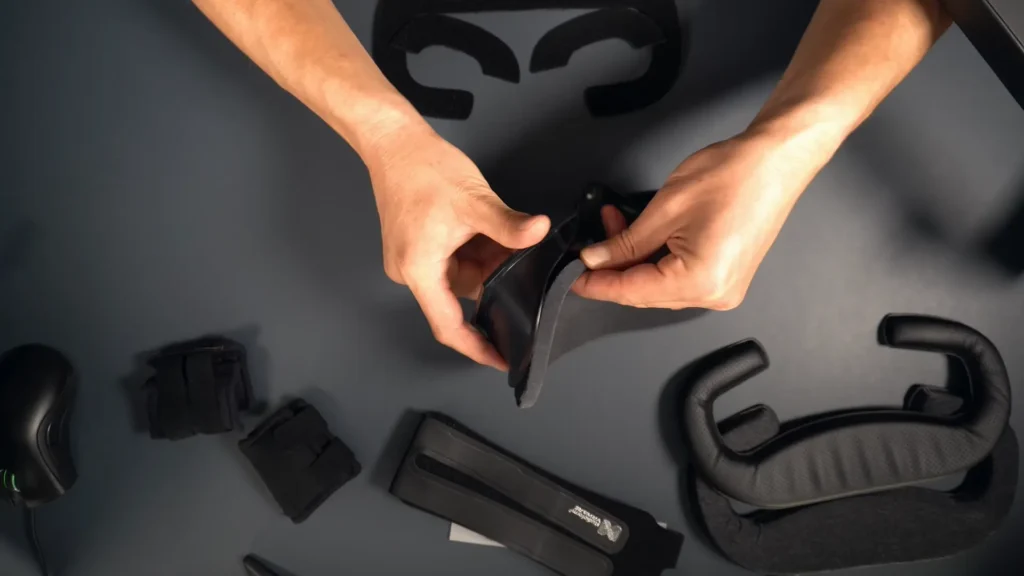
For a well-rounded solution to achive optimal balance – using a head strap, facial padding an counterweights – I can recommend the kit from Studioform Creative.
Cable Management
A ceiling-mounted cable system can significantly improve freedom of movement.
By removing downward pull and minimizing cable interference, the experience becomes noticeably less restrictive.
Even within a limited play area, this setup can approximate the feel of a wireless system.
I personally use the VR Wire system and I´ve had very good experiences with it.
Tracking Systems
Inside-out tracking has improved considerably and is now viable for a wider range of use cases.
However, for maximum precision, Lighthouse tracking remains superior.
This is particularly relevant for:
- fast-paced interaction
- high-precision input
Conclusion
Optimizing the Crystal Super is not about a single setting, but about aligning multiple aspects of the system.
- optical calibration
- performance tuning
- physical comfort
When these elements are properly balanced, the overall experience improves significantly.
Interested in the Pimax Crystal Super?
You´ll find all current Pimax headsets, optical engines, recommended accessories , and the latest product links in my Pimax Buying Guide.