
Anyone familiar with virtual reality knows the difference between a regular flat image and true stereoscopic depth. In VR, each eye sees a slightly different image, creating a convincing sense of depth and distance. CYBIONYX InMotion aims to achieve that effect in a completely different way. Instead of requiring games to support VR, the software transforms traditional 2D content into a stereoscopic 3D experience.Rather than relying on game mods, special drivers, or direct access to game data, InMotion analyzes only the final image that is already being rendered to your monitor. From that single image, an AI generates a depth map in real time and uses it to create a stereoscopic view for VR headsets.
InMotion takes a universal approach. Ideally, it doesn’t matter whether you’re running a modern AAA title, an indie game, a video, or even the regular Windows desktop. As long as an image is being displayed, the software can attempt to infer depth information from it.
At first, that almost sounds too good to be true. That’s exactly why I wanted to see how well the concept actually works in practice. Over the past few weeks, I’ve tested InMotion with a variety of games and media while also experiencing several software updates. That evolution has been particularly interesting, as there are already noticeable improvements between the early versions I tested and the software in its current state.
What Is CYBIONYX InMotion?
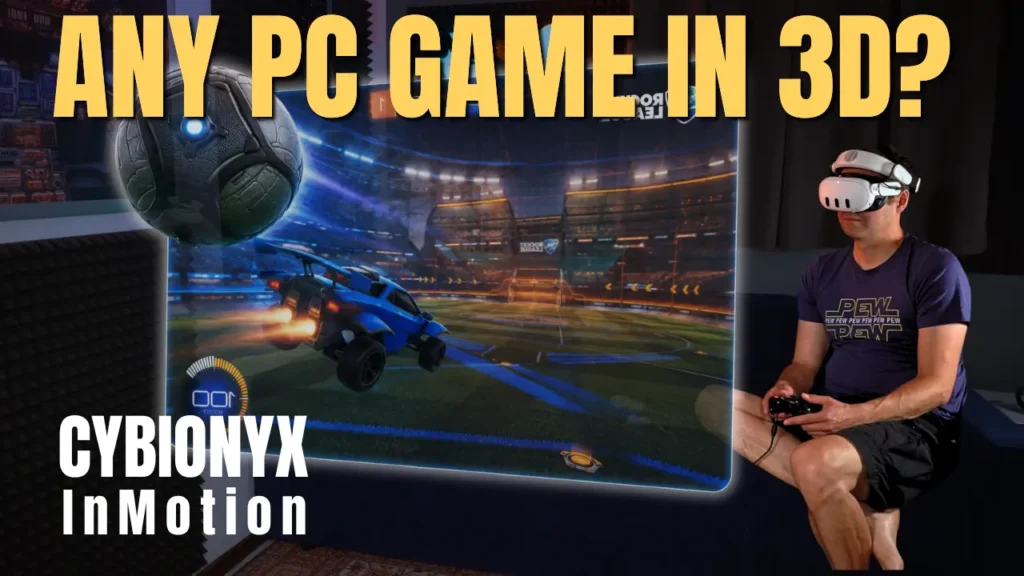
InMotion is an application for the Meta Quest that displays your Windows PC screen inside a virtual environment while adding AI-generated depth to the image. Its goal is not to turn games into native VR experiences. Instead, the game itself remains completely unchanged. You’re still playing the standard PC version, but it’s presented on a virtual screen with a stereoscopic 3D effect.
This distinction is important. If you’re expecting to stand inside the game world or move around freely as you would in VR, you’ll likely be disappointed. InMotion is not a replacement for VR mods such as UEVR, nor does it compete with games designed specifically for virtual reality. It takes a different approach by making existing content appear more three-dimensional.
During my testing, I never felt like I was using an alternative to native VR. Instead, the experience reminded me of sitting in front of a very large virtual display where everything appeared noticeably more dimensional than on a regular monitor. Depending on the game, the added sense of depth can be surprisingly convincing.
Another advantage of this approach is that, in theory, almost any visual content can be processed. Besides games, you can also view videos and other applications. That said, it quickly becomes clear that InMotion is primarily designed for gaming and media consumption. For extended productivity work on the Windows desktop, I personally don’t see much added value. While it works perfectly well, the software’s real strength clearly lies in gaming and entertainment.
Who Is InMotion For?
Whether InMotion is the right software for you depends largely on your expectations. If you’re looking for a way to automatically turn any PC game into a full VR experience, this isn’t it. But that’s not what the software is trying to do.
InMotion is most appealing for players who want to experience traditional PC games with an added sense of depth, without relying on mods or dedicated VR versions. Games with a clear perspective, expansive environments, or prominent objects benefit particularly well from the AI-generated stereoscopic effect. Role-playing games, racing games, and titles with large open landscapes can feel noticeably more immersive than they do on a conventional monitor.
On the other hand, the software is less suited to games whose gameplay doesn’t benefit much from additional depth. Likewise, if your primary goal is productivity on a virtual desktop, there are now more specialized solutions that are better tailored to that use case.
Ultimately, it all comes down to expectations. If you see InMotion as a tool that adds a greater sense of depth to existing content, it does its job surprisingly well. If, however, you’re expecting a complete VR conversion of any PC game, you’re measuring it against a goal that InMotion was never designed to achieve.
Why This Approach Works at All
At first glance, the idea almost seems contradictory. How can software generate spatial information when the source material is nothing more than a regular two-dimensional image?
Interestingly, our brains have been doing exactly that since the day we were born. When we look at a photograph or watch a movie, we can usually judge quite accurately which objects are closer and which are farther away. Perspective, relative size, shadows, occlusion, and countless other visual cues allow our brains to build a convincing mental model of a three-dimensional scene, even though we’re only looking at a flat surface.
Modern AI systems learn these same relationships from massive amounts of training data. During training, they are exposed to millions of images paired with corresponding depth information. Over time, the model learns to recognize common patterns. A small car on the horizon is likely farther away than a large car in the foreground. A person partially hidden behind another object is probably standing behind it. Buildings, roads, and landscapes also follow geometric patterns that can be learned statistically.
This is exactly the knowledge InMotion relies on in real time. The AI has no understanding of the game itself or its virtual world. It doesn’t know where walls, characters, or vehicles actually exist. Instead, it analyzes the visible image and produces the most plausible estimate of the scene’s spatial structure.
The fact that this approach works at all is a remarkable demonstration of how far AI-powered image analysis has come. At the same time, it also explains why systems like this can never be perfect. They don’t calculate the objectively correct depth of a scene—they generate the most likely interpretation based on what is visible.
How InMotion Turns a 2D Image into a Stereoscopic 3D Experience
Perhaps the most fascinating aspect of InMotion is the way it processes images. According to the developers, the software has no knowledge of a game’s geometry or the position of individual objects. It receives only the final image that the PC would normally send to the monitor. Everything that happens afterward is based entirely on analyzing that single frame.
The first step is generating what’s known as a depth map. This depth map is created entirely by AI. It analyzes shapes, perspective, relative size, shadows, occlusion, and many other visual cues to infer the most plausible spatial arrangement of the scene.
At this point, it’s easy to assume that the AI somehow understands the game. In reality, it doesn’t. It doesn’t recognize gameplay mechanics, read object data, or know the coordinates of anything inside the game world. It simply evaluates the visible image and estimates which areas are likely to be closer or farther away. This distinction is crucial. Rather than reconstructing the actual 3D world, the software creates the most convincing interpretation it can based solely on the available image.
A depth map alone, however, isn’t enough to create a stereoscopic image. The next step is converting it into a three-dimensional mesh. You can think of this mesh as a flexible grid laid over the image. Each point on the grid is pushed forward or backward according to the calculated depth values, transforming what was originally a flat image into a deformed 3D surface.
Only then can InMotion generate two slightly different views of the scene. One image is rendered for the left eye and another for the right, each from a slightly offset perspective. This is the same principle behind human depth perception. Because our eyes are separated by roughly six to seven centimeters, each sees the world from a slightly different angle. Our brain combines those two images into a single perception of depth. InMotion attempts to recreate that process artificially.
During my testing, I found the resulting sense of depth surprisingly convincing at times. Objects visibly separate from their backgrounds, landscapes gain a stronger sense of scale, and distances feel much more natural than they do on a flat display. In games with clear visual perspectives, this creates an additional feeling of size and spatial presence—even though the game itself was never designed for stereoscopic 3D.
How Motion Parallax Adds Even More Depth
In addition to stereoscopic rendering, InMotion uses the same depth information to create a second effect: motion parallax. This is a phenomenon we experience constantly in everyday life. When you move your head slightly from side to side, nearby objects appear to shift more than distant ones. Our brains use this difference in movement as another important cue for judging depth.
InMotion takes advantage of this effect in its Gaming Mode. As you move your head, the displayed perspective changes according to the AI-generated depth information. This enhances the sense of depth because not only does each eye receive a different image, but the scene also responds naturally to your head movements.
From a technical perspective, this is an elegant solution because the same depth map serves two purposes. First, it is used to generate stereoscopic images for both eyes. Second, it enables subtle perspective shifts as your head moves. No additional information from the game itself is required.
In practice, however, I found that I preferred Cinema Mode. In this mode, the virtual screen remains fixed in space, resulting in a calmer and more natural viewing experience. Gaming Mode does create a stronger impression of depth, but I occasionally found the additional movement of the image a little distracting. That’s not a technical limitation—it’s simply a matter of personal preference. I can easily imagine other users preferring Gaming Mode precisely because of the extra depth it provides.
Why Some Games Work Better Than Others
The quality of the 3D effect depends directly on how accurately the AI can interpret the scene. Games with clearly defined objects, strong perspective, and obvious depth cues provide the AI with much richer visual information. In these cases, the generated depth map can come surprisingly close to the actual spatial structure of the scene.
Things become more challenging when the source image itself provides fewer reliable clues. Transparent effects, smoke, explosions, reflections, and semi-transparent surfaces often lack a clearly defined spatial structure. The same is true for fine hair, dense vegetation, and particle effects. In these situations, the AI has to estimate where those image elements are likely to exist in 3D space. The more ambiguous the scene, the more likely small depth errors become.
User interfaces present another challenge. Many HUD elements are rendered independently of the game world and simply overlaid on top of the image. From the AI’s perspective, however, it isn’t always obvious whether a health bar belongs within the game world or should remain on a separate layer. As a result, interface elements can sometimes receive a depth effect that feels slightly unnatural.
This highlights the fundamental difference between AI-based depth estimation and native VR rendering. A VR engine knows the exact position of every object in the scene. InMotion only sees the final rendered image and has to infer the most likely spatial structure from it. The fact that the results are often so convincing is, from a technical standpoint, genuinely impressive.
Although these limitations were noticeable during my testing, they rarely distracted from the overall experience. What I found far more interesting was how differently individual games benefited from the technology. Some titles gained a surprisingly strong sense of depth, while others showed little noticeable improvement. In the next section, I’ll take a closer look at this based on my own hands-on experience.
Hands-On Testing: How Well Does InMotion Perform in Everyday Use?
Technical concepts are easy to explain. What really matters, though, is how they perform in practice. That’s exactly what I was most curious about, because InMotion takes a very unconventional approach. Its AI is expected to generate a convincing sense of depth from a standard 2D image in real time—regardless of which game is running. To see how well that works, I deliberately tested a variety of game genres to get a better understanding of where the software excels and where its limitations become apparent.
One other thing stood out during my testing. Between my first impressions and the current version, InMotion received several updates that noticeably improved the experience. The image now feels much more refined than it did in the early builds. Sharpness has improved, visual artifacts occur less frequently, and the overall presentation is more stable. While it’s still an early product, the direction of development is already very clear.
Hogwarts Legacy
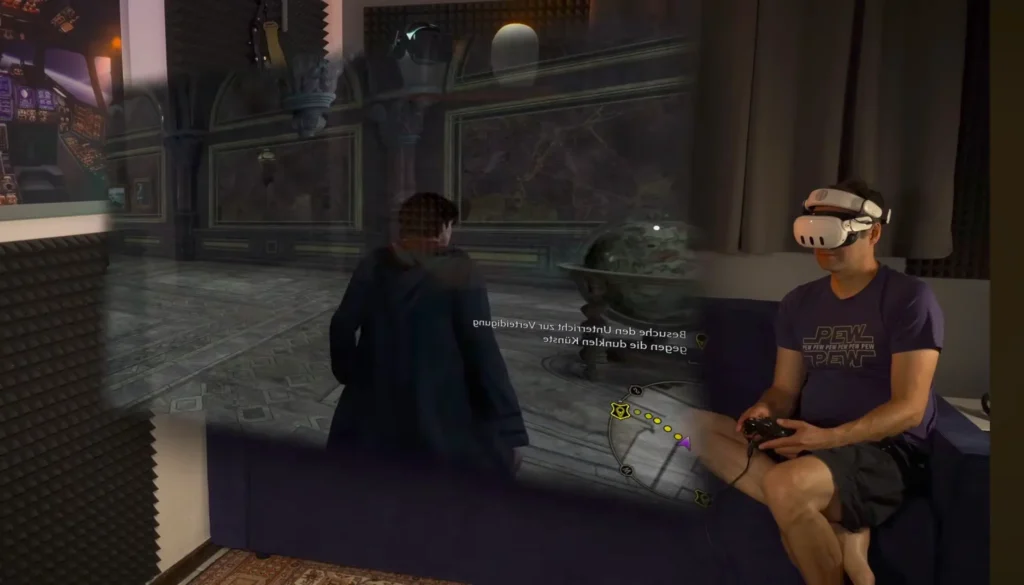
The game that impressed me the most was Hogwarts Legacy. Its expansive landscapes, intricate interiors, and countless objects at varying distances provide the AI with plenty of visual cues for depth estimation. As a result, the sense of depth goes well beyond what I originally expected.
While exploring the world, I was particularly struck by how much more dimensional the architecture, bridges, staircases, and large halls felt. The environment gains a noticeable sense of depth without changing the game itself. This effect is especially convincing during slower moments when you take the time to appreciate the surroundings.
Of course, InMotion still reaches its limits from time to time. Certain visual effects and more complex scenes aren’t always rendered perfectly. Even so, I came away with the impression that Hogwarts Legacy is an excellent match for this technology. Of all the games I tested, this was probably the one where the added depth impressed me the most.
Mechabellum
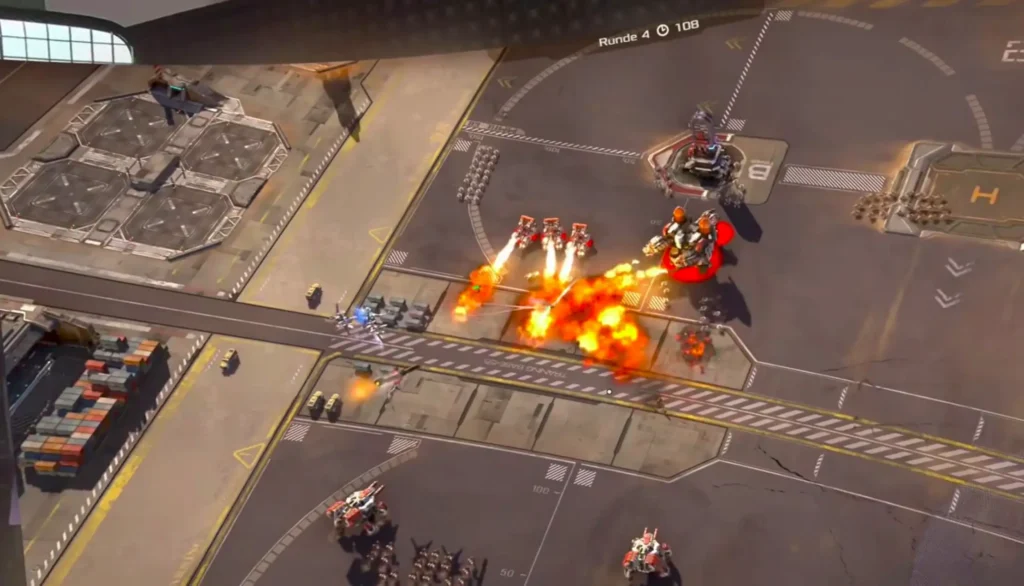
Mechabellum was a very different experience. The strategy game is viewed from a high, top-down perspective and relies far more on maintaining a clear overview than on creating a sense of immersion. As a result, the added depth effect was much less noticeable.
While InMotion still generated a stereoscopic image, it added very little to the overall gameplay experience. That has less to do with the software itself and more with the nature of the game. When most of the action takes place on a relatively flat plane and the focus is on tactical decision-making, there simply isn’t as much to gain from additional depth.
This comparison highlights an important point: the overall experience isn’t determined by the technology alone. Some games benefit significantly from the added sense of depth, while others remain largely unchanged.
Half Sword
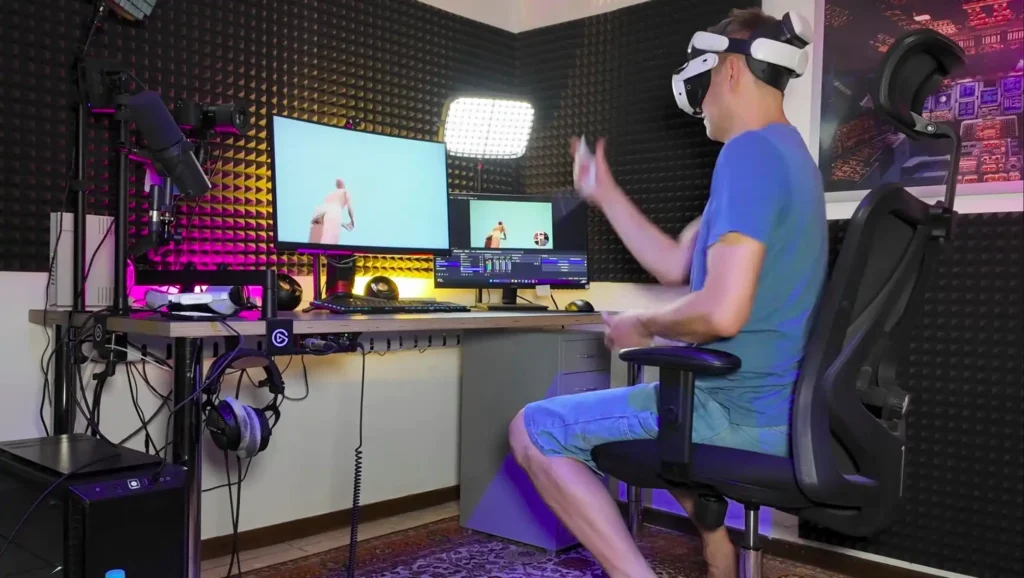
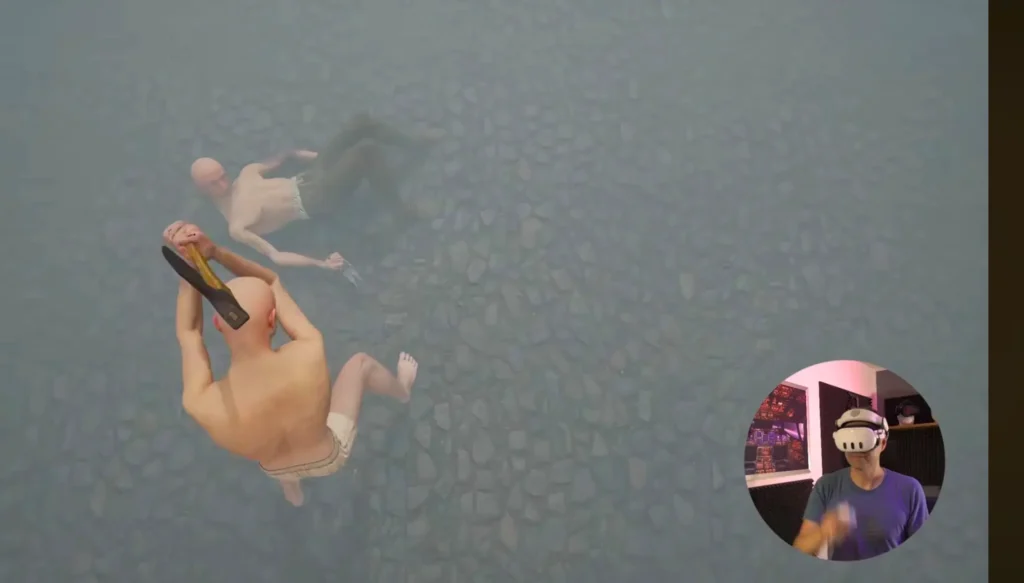
Half Sword stood out to me for a different reason. The game can be played using VR motion controllers, making the controls feel far more natural than using a mouse and keyboard. Even though it’s still technically the standard PC version, the combination of stereoscopic 3D and motion controls creates an experience that feels surprisingly close to native VR.
The sword combat benefits especially from this setup, as the motion controllers take the gameplay to an entirely different level. I felt much more like I was directly interacting with the weapons instead of simply sending inputs through traditional peripherals.
Of course, InMotion still doesn’t replace a version of the game designed specifically for virtual reality. Even so, Half Sword became one of the most compelling examples of the potential behind this approach. It was the combination of stereoscopic rendering and motion controllers that made the experience feel significantly more immersive than playing the standard PC version.
Videos
The stereoscopic effect also worked surprisingly well with regular videos. Of course, the AI isn’t creating any new visual information that wasn’t there originally. Even so, it often does an impressive job of separating people and objects from the background, giving many scenes an added sense of depth that makes them feel more lifelike.
The strength of the effect varies depending on the footage. Videos with clearly defined foreground and background elements benefit much more than scenes that are visually flat or low in contrast. Even so, I was surprised by how universally the approach works. The fact that the same software can enhance both games and ordinary video content is, to me, one of the most interesting aspects of InMotion.

Windows Desktop
The standard Windows desktop can also be displayed through InMotion without any issues. Technically, it works exactly as expected. Personally, however, I don’t see it as a particularly compelling use case. In my view, the software is clearly designed for gaming and media consumption. For extended productivity work in VR, there are now specialized applications that are much better suited to the task.
That said, the Windows desktop is a great demonstration of how universal InMotion’s underlying technology really is. Because the software analyzes only the final rendered image, it makes little difference whether you’re viewing a game, a video, or a standard Windows application.
My Overall Impression After Several Weeks
What surprised me the most throughout my testing wasn’t any particular game—it was the evolution of the software itself. Only a few updates separate my first impressions from the current version, yet InMotion already feels significantly more polished. The image is sharper, more stable, and overall much more pleasant to look at. Artifacts are still present, but they draw far less attention than they did during my initial tests.
That also changes the way you experience the software. At first, I found myself paying close attention to technical imperfections. Over time, however, my focus shifted more and more toward the actual content. To me, that’s a very positive sign. The technology shouldn’t constantly remind you that it’s there—it should simply make games and videos feel a little more three-dimensional.
Based on my experience so far, InMotion achieves that surprisingly often. Not equally well in every game, and certainly not perfectly yet—but far more successfully than I expected before I started testing it.
Setup and Ease of Use
Getting started with InMotion was refreshingly straightforward. After installation, I simply connected my PC to the Meta Quest, and the virtual display was ready to use. I didn’t have to deal with complicated settings or lengthy configuration steps. For software that’s generating a stereoscopic 3D image in real time, the onboarding process felt impressively simple.
The virtual screen can be freely positioned in your space, and both its size and viewing distance can be adjusted to suit your preferences. Whether you prefer playing on a massive virtual cinema screen or a more compact display, it’s easy to find a setup that feels comfortable. I found this flexibility to be one of the software’s strengths because it’s intuitive and requires virtually no learning curve.
During most of my testing, I used Cinema Mode. In this mode, the virtual screen remains fixed in space. As you move your head, the screen stays exactly where it is, much like a physical monitor or television. To me, this felt calmer and more natural. Especially during longer gaming sessions, I found it easier to focus on the game itself because the screen wasn’t constantly shifting relative to my head movements.
InMotion also offers a Gaming Mode, which adds motion parallax. As you move your head, the perspective of the image changes based on the previously calculated depth information, creating an even stronger sense of depth. From a technical standpoint, this fits perfectly with the overall concept of the software, as it makes use of the same AI-generated depth map that’s already used for stereoscopic rendering.
Even so, I kept returning to Cinema Mode. Gaming Mode works exactly as intended and genuinely enhances the sense of spatial depth. At the same time, I found the subtle image movement during head tracking a little more distracting. That’s not a criticism of the implementation—it’s simply a matter of personal preference. Other users may prefer the additional depth effect, while I found the steadier presentation of Cinema Mode more comfortable.
There are still a few areas where I think the experience could be improved. During my testing, for example, I often wished for a faster way to recenter the virtual screen. Small quality-of-life features like this can make a noticeable difference in everyday use. Since the overall interface is already pleasantly simple, a few additional convenience features could make the experience even better.
Performance
One question that naturally comes up with AI-powered image processing is performance. After all, InMotion analyzes each frame in real time, generates a depth map, builds a 3D mesh, and then renders two slightly different views—one for each eye. All of that requires computing power.
During my testing, however, I didn’t notice any measurable impact on performance. Games never felt noticeably slower, nor did I observe any obvious drops in frame rate. That doesn’t necessarily mean there is no additional workload—it simply wasn’t something I could perceive during normal use.
I didn’t perform any objective benchmarks or compare frame rates with and without InMotion enabled, so I can’t make any definitive claims about its actual performance overhead. It’s entirely possible that some processing power is being used for the AI-based image generation.
What I can say is this: throughout my own testing, I never felt that InMotion had a negative impact on the overall gaming experience. If the software does introduce additional overhead, it remained well below the threshold of what I could subjectively notice.
Pricing
At the time of my review, CYBIONYX InMotion costs around €10.99 or $11.99 USD. Considering what the software already offers today, I think that’s a fair price.
Of course, the project is still in an early stage of development. Not every scene looks perfect, and there are still areas where the user experience could be refined. At the same time, it’s already clear how much potential this approach has. For a relatively low price, you get access to a technology that enhances traditional PC content in a way that’s still quite unique.
Given the visible pace of development and the steady stream of updates, I consider the current price to be well justified.
Conclusion
What surprised me most about CYBIONYX InMotion is that it succeeded with an idea I was initially far more skeptical about. The concept of generating a convincing sense of depth from nothing more than a standard 2D image in real time sounds like something that shouldn’t work particularly well. After spending time with the software, my view has become much more nuanced.
InMotion is not a replacement for native VR. If you’re expecting to suddenly stand inside a game world or play any PC game as if it had been built specifically for virtual reality, you’ll be disappointed. But that’s never been the software’s goal. Instead, it aims to make existing content feel more three-dimensional—and depending on the game, it does that remarkably well.
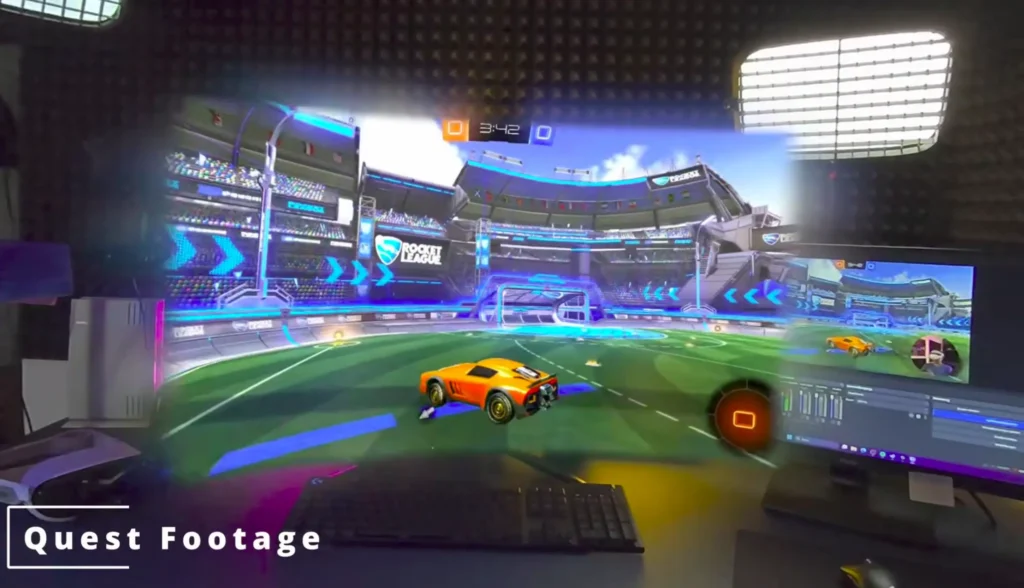
What impressed me most was how differently individual titles benefited from the technology. While Mechabellum gained very little, Rocket League and especially Hogwarts Legacy delivered a much stronger sense of depth. Even ordinary videos often appeared more dimensional than I expected before starting my tests. That demonstrates that the technology isn’t limited to a specific genre—it has the potential to enhance a wide variety of content.
Another positive takeaway was the pace of development. Even during my testing period, image sharpness, stability, and overall visual quality improved noticeably. That gives me the impression that InMotion is still far from reaching its full potential. Many of its current limitations could very well become less significant in future releases.
That’s ultimately what I find most exciting about this project. InMotion isn’t trying to imitate existing VR solutions—it takes its own approach. By using artificial intelligence to add a convincing sense of depth to traditional content, it enhances existing games without requiring any modifications from developers. It’s unlikely to replace native virtual reality, but it doesn’t need to.
Instead, it opens up a new way to experience familiar PC games and other content with greater immersion. The technology is still in its early days, yet it already demonstrates the potential of AI-powered image processing. For that reason, I’m even more interested in where this technology will be in a few years than I am in its current version.