
Pimax Dream Air Buying Guide: Dream Air or SE, SLAM or Lighthouse?
Which Pimax Dream Air should you buy? Is it worth paying more for the Dream Air over the Dream Air SE, and is SLAM or Lighthouse a better fit for your setup? I’ve tested the Dream Air with Lighthouse and the Dream Air SE with SLAM myself. Here you’ll find my recommendations on choosing a model, tracking system, and useful accessories—including the strengths and weaknesses I noticed while playing.
For some products, I’ve also included links to articles and videos covering my experiences in more detail, helping you make an informed buying decision. If you decide to purchase through one of my links, you may receive a discount while supporting my work at no additional cost to you. As an affiliate partner, I earn a small commission on qualifying purchases. Thank you for your support!
Get 2% off Pimax VR headsets with the code VRACCOMPLICE at the Pimax Store.
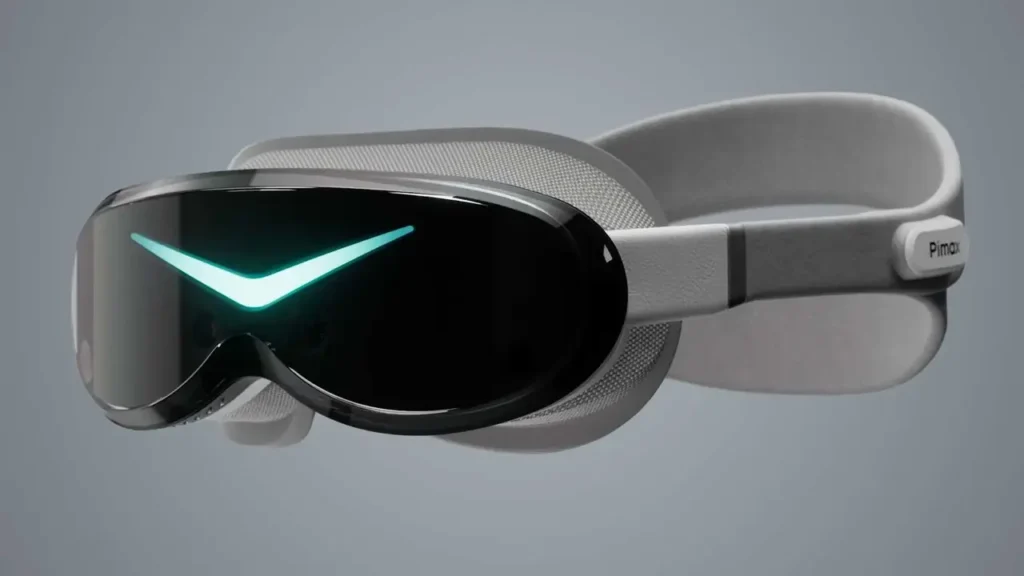
Pimax Dream Air & Dream Air SE –
2% Discount
Pimax Dream Air and Dream Air SE: Overview and Recommendations
The Pimax Dream Air and Dream Air SE combine low weight and a compact form factor with Micro-OLED displays. Both are aimed at users looking for a lightweight PCVR headset. Compared with the Crystal Super, their compact design is a key selling point.
The main technical difference between the Dream Air and Dream Air SE is display resolution. The Dream Air offers higher resolution, while the SE provides a more affordable entry point. Both feature eye tracking and are available with inside-out tracking (SLAM) or Lighthouse tracking. However, sharing the same core features doesn’t mean they deliver identical image quality or viewing experiences.
I’ve tested the Dream Air with Lighthouse and the Dream Air SE with SLAM. You’ll find my detailed experiences in my Pimax Dream Air articles and videos.
Choose the Dream Air if…
- Higher display resolution is particularly important to you.
- You’re willing to pay the premium over the SE for it.
Choose the Dream Air SE if…
- You want a compact Micro-OLED PCVR headset at a lower price.
- You’re willing to give up the Dream Air’s higher resolution to save money.
- Eye tracking and the choice between SLAM and Lighthouse are important to you.
SLAM or Lighthouse: Which Tracking System Is Right for You?
Both the Pimax Dream Air and Dream Air SE are available with SLAM or Lighthouse tracking. With SLAM, cameras on the headset track the surroundings and controllers, so you don’t need external base stations. Lighthouse uses base stations positioned around the room and compatible controllers, such as Valve Index controllers.
In my tracking comparison between the Dream Air SE with SLAM and the Dream Air with Lighthouse, SLAM performed well even during fast controller movements. My Beat Saber results on “Hard” difficulty were close with both systems. When aiming steadily and precisely in Crossfire: Sierra Squad, however, SLAM showed visible jitter, while Lighthouse delivered steadier tracking.
If you want to get started without external base stations, SLAM is a good option. If precise controller tracking when aiming is particularly important to you, or you already own Lighthouse base stations and Valve Index controllers, I would personally choose Lighthouse. If you’re buying everything from scratch, factor in the additional cost of base stations and controllers.
Purchase Option
In the Pimax Store, you can select the Dream Air or Dream Air SE with your preferred tracking system. When comparing offers, check whether compatible controllers and, where needed, Lighthouse base stations are included:
View the Pimax Dream Air in the Pimax Store
View the Pimax Dream Air SE in the Pimax Store
Pimax Dream Air Accessories
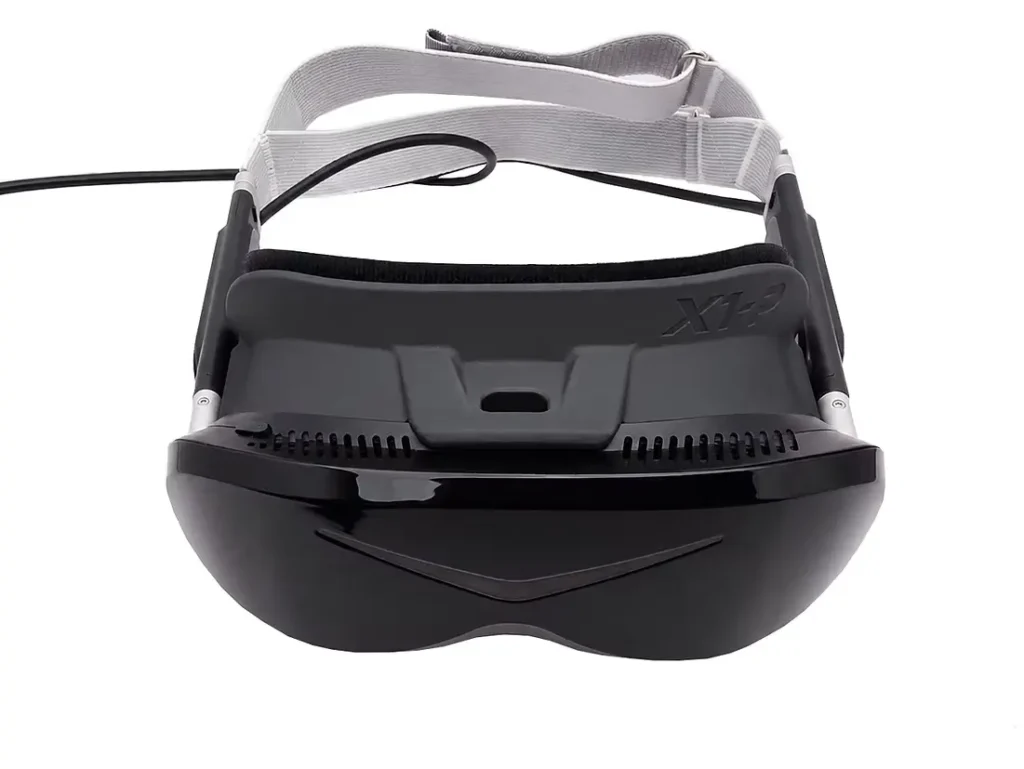
Studioform X1-P Interface Kit
The Studioform X1-P Facial Interface is compatible with the Pimax Dream Air and Dream Air SE and offers considerably more fit adjustment than the standard facial interface. It clips directly onto the headset for a secure fit, without using magnets.
The kit includes three face pads of different thicknesses (3, 8, and 12 mm) and four additional foam spacers. These allow you to adjust the distance between your eyes and the lenses. A shorter distance can increase your visible field of view (FOV), while thicker pads provide more clearance and may improve comfort depending on your face shape.
The additional spacers also let you adjust the shape of the interface. They can be positioned in the centre or at the sides to accommodate wider or narrower faces, and can also adjust the tilt. The interface is designed to reduce light leakage from the sides.
Depending on the version, the face pads are available in grey fabric, PU leather, or a mixed set. Pairing the interface with the Studioform Dream Air Mini Deluxe Comfort Strap can be particularly useful.
What’s included: X1-P Interface, 3 mm, 8 mm, and 12 mm face pads, plus four foam spacers.
Purchase Option
The adjustable facial interface is compatible with the Dream Air and Dream Air SE:
View the Studioform X1-P Interface Kit
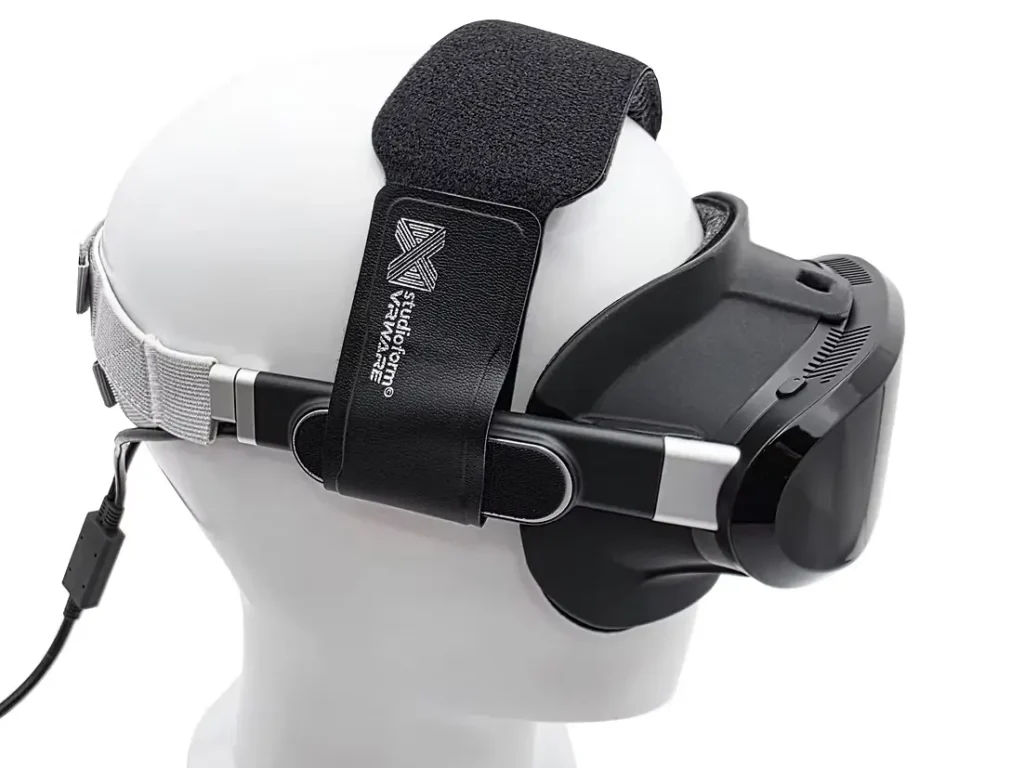
Studioform Dream Air Mini Deluxe Comfort Strap
The Studioform Dream Air Mini Deluxe Comfort Strap is an additional top strap for the Pimax Dream Air, designed to distribute the headset’s weight more evenly across your head. It helps keep the headset in the desired position in front of your eyes, allowing you to wear the main head strap a little looser. This can improve comfort, particularly during longer VR sessions.
The strap features soft memory foam padding, available in either grey fabric or breathable PU leather. It pairs particularly well with the Studioform X1-P Facial Interface, which is sold separately and not included.
What’s included: Mini Deluxe Comfort Strap with your chosen padding, two hook-and-loop fasteners, and instructions.
Purchase Option
You can find the additional comfort strap for the Dream Air and Dream Air SE at Studioform:
View the Studioform Mini Deluxe Comfort Strap