
Pimax Crystal Super Buying Guide: Which Version Is Right for You?
Which Crystal Super is right for you: 50 PPD, 57 PPD, Ultrawide, or Micro-OLED? Should you choose SLAM or Lighthouse tracking, and which accessories are worth buying? In this Pimax Crystal Super buying guide, I help you find the right version for your VR games and simulations. My recommendations are based on my own hands-on testing; you’ll find detailed impressions and measurements in the linked articles.
For some products, I’ve also included links to articles and videos covering my experiences in more detail, helping you make an informed buying decision. If you decide to purchase through one of my links, you may receive a discount while supporting my work at no additional cost to you. As an affiliate partner, I earn a small commission on qualifying purchases. Thank you for your support!
Get 2% off Pimax VR headsets with the code VRACCOMPLICE at the Pimax Shop.
Overview
- Pimax Crystal Super: Overview and Recommendations
- Pimax Crystal Super – Optical Engines
- Pimax Crystal Super Accessories
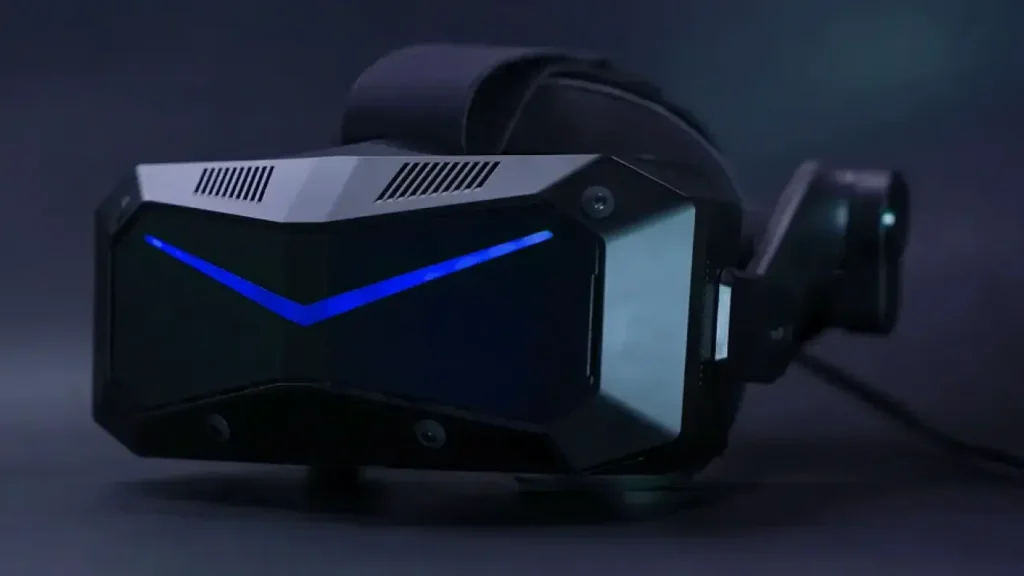
Pimax Crystal Super: Overview and Recommendations
I’ve tested the Pimax Crystal Super extensively over many months in flight simulators, racing simulations, and traditional VR games. You’ll find my detailed experiences in the linked articles and videos.
The Pimax Crystal Super’s greatest strength is its modularity. Depending on your priorities, you can choose between several optical engines: the well-balanced 50 PPD QLED, which I recommend to most users, 57 PPD QLED, Ultrawide, or Micro-OLED.
SLAM or Lighthouse: Which Tracking System Is Right for You?
The Crystal Super is available with both inside-out tracking (SLAM) and Lighthouse tracking. SLAM tracking works well during general gameplay and requires no external base stations. However, it can have limitations when aiming very precisely and steadily, or when the controllers move outside the tracking cameras’ field of view. Lighthouse offers advantages in these situations. If you already own Lighthouse base stations and Valve Index controllers, I would personally recommend the Lighthouse version.
The built-in speakers get the job done. For the best possible audio quality, however, I recommend the optional DMAS headphones, which I consider one of the most worthwhile upgrades for the Crystal Super.
Choose the Crystal Super if…
- You want maximum flexibility through interchangeable optical engines.
- A wide field of view is important to you.
- You want to configure your headset to suit your needs.
Below, you’ll find a brief overview of the different optical engines and my recommendations on which version is best suited to each use case.
Purchase Option
If you’re buying the Crystal Super as a complete headset, select your preferred optical engine in the Pimax Store and check which tracking version suits your setup. View the Pimax Crystal Super in the Pimax Store.
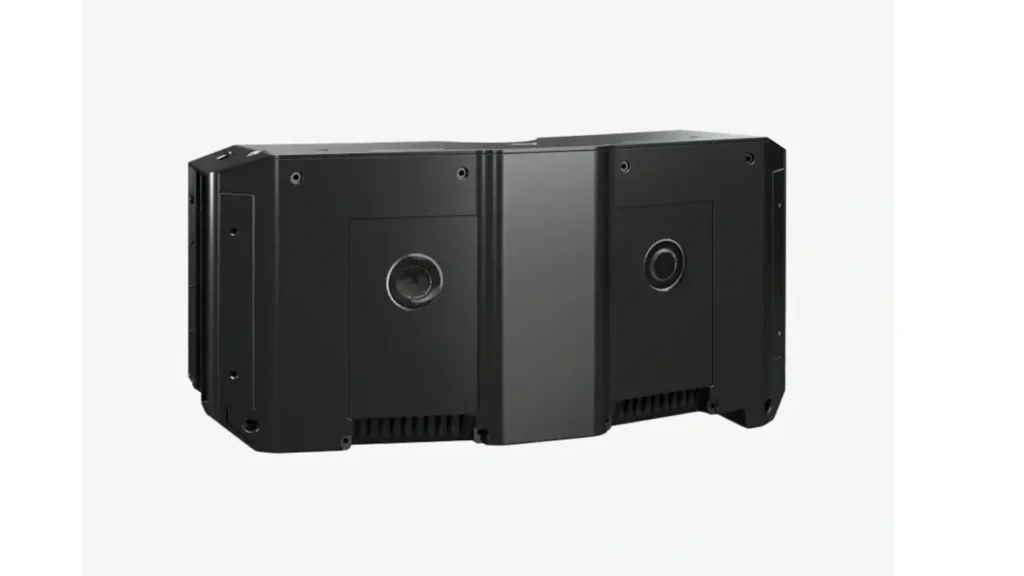
Pimax Crystal Super – Optical Engines
The Pimax Crystal Super has a modular design and is available with different optical engines that vary in display technology, field of view, and image clarity.
Optical Engines: Which Version Is Right for You?
Pimax Crystal Super 50 PPD QLED: My Recommendation for Most Users
For me, the 50 PPD QLED optical engine offers the best combination of image clarity, a wide field of view, and a generous sweet spot. It’s my preferred version for flight simulators and traditional VR games. In my measurements, I achieve approximately 124° horizontal and 100° vertical field of view.
Compared with the 57 PPD optical engine, you give up some pixel density but gain a wider field of view and optics that I find more comfortable in everyday use. If you’re unsure which optical engine to choose, 50 PPD is my default recommendation.
You’ll find my detailed impressions in my Pimax Crystal Super 50 PPD review.
Purchase Option
You can select the 50 PPD version when purchasing the Crystal Super. It is currently not listed as a separate replacement optical engine in Pimax’s module selection:
View the Crystal Super with 50 PPD in the Pimax Store
Pimax Crystal Super 57 PPD QLED: Higher Pixel Density with Trade-offs
The 57 PPD QLED optical engine is aimed at users who prioritise pixel density. Its display resolution is identical to that of the 50 PPD optical engine. However, the pixels are spread across a smaller field of view, resulting in higher pixel density.
During my hands-on testing, I was particularly bothered by the smaller sweet spot and more noticeable colour fringing along high-contrast edges. Higher pixel density alone therefore doesn’t make this optical engine the better choice for me. I prefer the more balanced optics of the 50 PPD version.
If you’re deciding between 50 PPD and 57 PPD, I would personally choose 50 PPD. The 57 PPD version may suit you if you specifically want higher pixel density and are willing to accept these trade-offs.
You’ll find my detailed impressions in my Pimax Crystal Super 57 PPD optical engine review. In my 50 PPD vs. 57 PPD video comparison, I show the differences and explain why I personally prefer the 50 PPD optical engine.
Purchase Option
You can choose the 57 PPD optical engine in the Pimax Store when purchasing the Crystal Super, or buy it separately later if you already own the headset.
Pimax Crystal Super Ultrawide: Is the Wider Field of View Worth It?
The Ultrawide QLED optical engine is aimed at users seeking the widest possible horizontal field of view. The additional peripheral view can be particularly appealing in flight and racing simulations. In my testing, however, the improvement over the 50 PPD optical engine was much smaller than the advertised 140° might suggest.
With my usual setup, I measured approximately 126° horizontal field of view, compared with around 124° with the 50 PPD optical engine. Your actual field of view depends on factors including your face shape and the distance between your eyes and the lenses. My measurements should therefore be taken as a personal reference.
For such a small improvement, I would personally stick with the 50 PPD optical engine. The Ultrawide version may suit you if horizontal field of view is your top priority and you can position the lenses close to your eyes.
You’ll find my detailed impressions and measurements in my Pimax Crystal Super Ultrawide optical engine review.
Purchase Option
You can choose the Ultrawide optical engine in the Pimax Store when purchasing the Crystal Super, or buy it separately later if you already own the headset.
Pimax Crystal Super Micro-OLED: For OLED Contrast and Deep Blacks
The Pimax Crystal Super Micro-OLED optical engine may suit you if deep blacks and high contrast are particularly important to you. These qualities can be especially appealing in dark games and space simulations.
I haven’t yet been able to test this optical engine extensively myself. However, my experience with the Pimax Dream Air provides a useful reference, as it is based on the same optical unit. The Crystal Super Micro-OLED optical engine offers a slightly wider field of view, though, so my Dream Air impressions cannot be applied directly to every aspect of this module.
I therefore can’t offer a dedicated review of this optical engine yet. You’ll find my impressions of the related optics in my Pimax Dream Air articles and videos.
Purchase Option
You can choose the Micro-OLED optical engine in the Pimax Store when purchasing the Crystal Super, or buy it separately later if you already own the headset.
Pimax Crystal Super Accessories
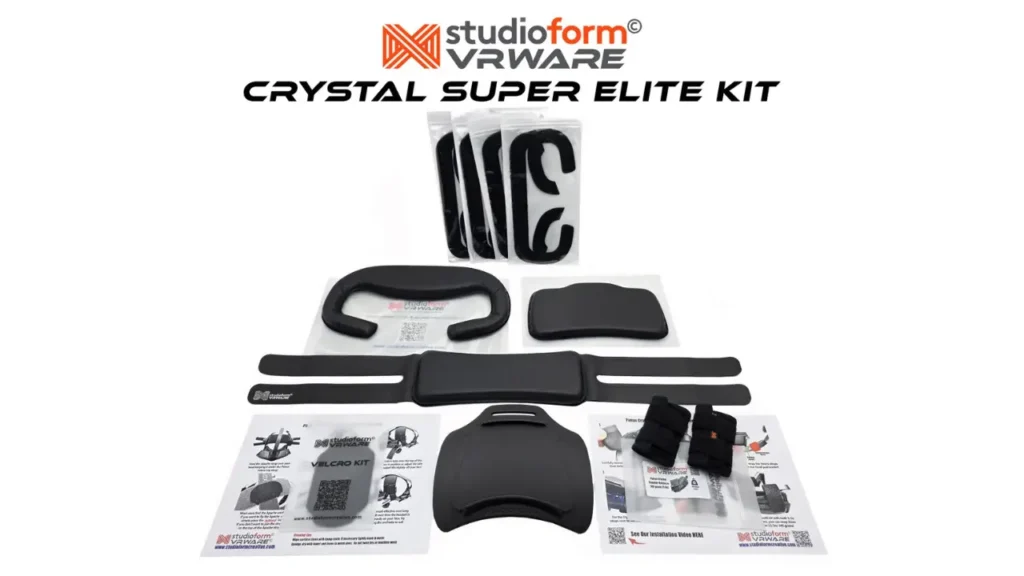
Studioform VRWare Crystal Super Elite Kit
Das Elite Kit für die Pimax Crystal Super hat alles was man braucht, um das HThe Crystal Super Elite Kit helps you adjust the headset to fit your head and make it much more comfortable. I’ve upgraded my own Crystal Super with it, and it has made a substantial difference to my comfort.
The kit includes a 14 mm face pad and a 14 mm rear pad, each available in PU leather or fabric, a Face Foam Spacer Pack with four spacers of different thicknesses, a Studioform Apache Comfort Strap in the matching material, a 3D-printed X1-P Elite rear head pad mount, and a 150 g counterweight for improved weight distribution.
What’s included
- 1× Face Pad (14 mm, PU leather or fabric)
- 1× Rear Pad (14 mm, PU leather or fabric)
- 1× Face Foam Spacer Pack (four pieces)
- 1× Apache Comfort Strap (PU leather or fabric)
- 1× 3D-printed Crystal Super X1-P Elite Rear Head Pad Mount
- 1× Counterweight (150 g)
To see the Crystal Super Elite Kit in action, take a look at my article and video about the Pimax Crystal Super upgrades I’ve continued to use.
Purchase Option
You can find the comfort kit I use here: View the Crystal Super Elite Kit at Studioform.
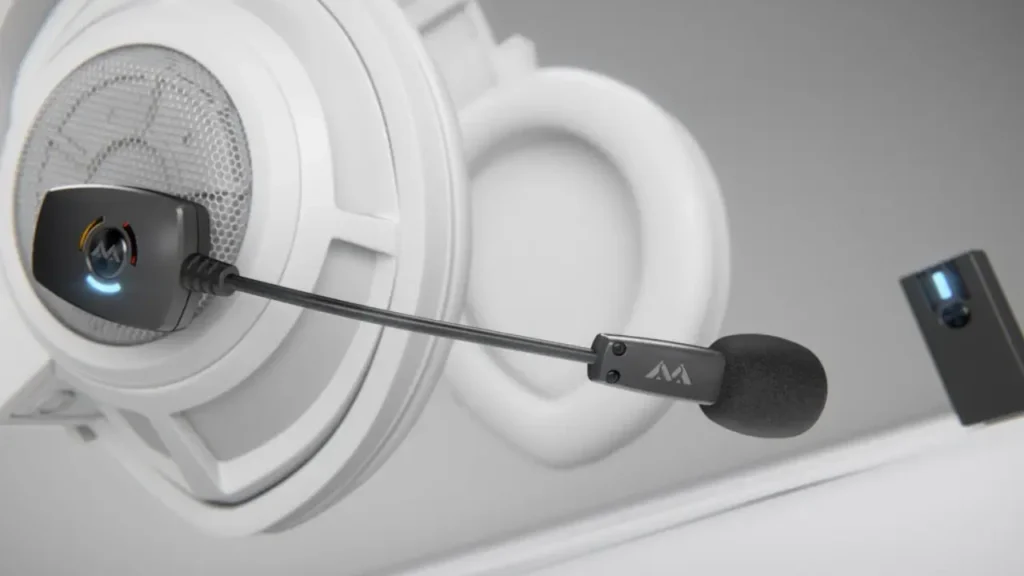
Antlion ModMic Wireless
For me, the Antlion ModMic Wireless is the easiest way to significantly improve microphone quality on the Pimax Crystal Super. In a direct comparison, it sounds much clearer and more natural than the Crystal Super’s built-in microphone. Voices sound fuller, background noise is better suppressed, and speech is noticeably easier to understand—a difference that comes through in multiplayer games, voice recordings, and videos.
The wireless microphone attaches to the headset using a magnetic mount and can be fitted or removed in seconds. Since it works independently of the headset, you can also reuse it with other VR headsets or conventional headphones. This combination of excellent voice quality and flexibility has made the ModMic Wireless a permanent part of my VR setup.
To see the ModMic Wireless in action, take a look at my article and video about the Pimax Crystal Super upgrades I’ve continued to use.
Purchase Option
You can find the wireless microphone for your VR setup here: View the ModMic Wireless at Antlion.