
Pimax Buying Guide
I’ve been using Pimax headsets for a long time and regularly test them across a wide range of VR applications, from flight simulators to traditional VR games. My recommendations in this Pimax Buying Guide for the Pimax Crystal Super, Pimax Dream Air and Pimax Dream SE are based on real-world experience rather than technical specifications alone. You´ll also find an overview on the different Optical Engines and recommended accessories to help you choose the configuration that best fits your need.
For many of the products, you’ll also find in-depth articles and videos where I share my hands-on impressions. This should help you make a well-informed purchasing decision. If you decide to buy through one of my links, you may receive a discount while supporting my work at no additional cost to you. As an affiliate partner, I receive a small commission from qualifying purchases. Thank you for your support
Get 2% off Pimax VR headsets in the Pimax Store with the code VRACCOMPLICE.
- Pimax Crystal Super
- Pimax Crystal Super – Optical Engines
- Pimax Crystal Super Accessories
- Pimax Dream Air
- Pimax Dream Air Accessories
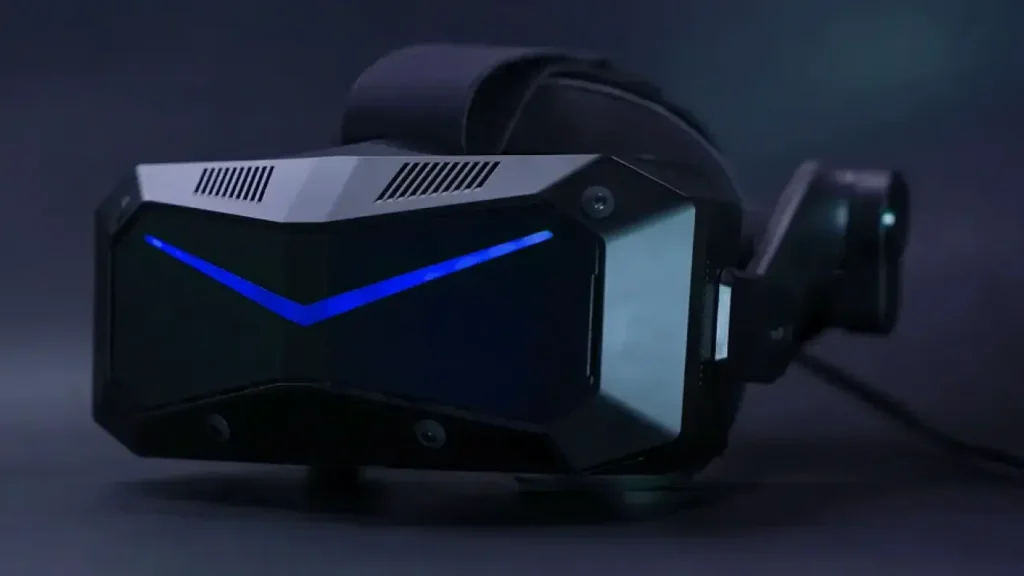
Pimax Crystal Super
I have been using and testing the Pimax Crystal Super extensively for many months in flight simulators, racing simulators, and a wide range of PC VR games. You’ll find my detailed impressions in the linked articles and videos.
The greatest strength of the Pimax Crystal Super is its modularity. Depending on your priorities, you can choose from different Optical Engines – from the well-balanced 50 PPD QLED, which is my recommendation for most users, to the 57 PPD QLED, Ultrawide, or Micro-OLED. The Crystal Super is available with both Inside-Out Tracking (SLAM) and Lighthouse Tracking. If you already own Lighthouse base stations and Valve Index controllers, I personally recommend choosing the Lighthouse version.
The integrated speakers are perfectly usable, but for the best possible audio experience I recommend upgrading to the optional DMAS speakers. In my opinion, they are one of the most worthwhile upgrades for the Crystal Super.
Choose the Crystal Super if…
- you want maximum flexibility through interchangeable Optical Engines.
- maximum field of view is important to you.
- you want to configure your headset to suit your personal preferences.
Further down this page, you’ll also find a brief overview of the different Optical Engines, including my recommendations on which option is best suited for different use cases.
If you decide to purchase the Pimax Crystal Super, you can access the official Pimax product page using the link below.
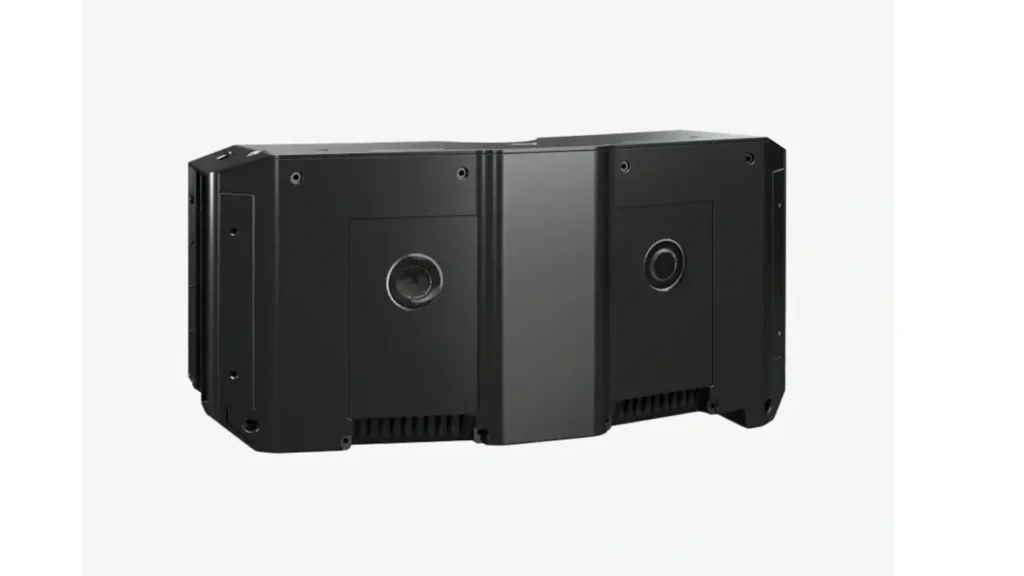
Pimax Crystal Super – Optical Engines
The Pimax Crystal Super features a modular design and is available with different Optical Engines, each offering a different balance of display technology, field of view, and image clarity. You’ll find my detailed reviews and hands-on experiences with each Optical Engine in the linked articles and videos.
Which Optical Engine is right for you?
Choose the 50 PPD QLED if…
- you want the best overall balance.
- a large sweet spot is important to you.
- you’re looking for the most versatile Optical Engine for everyday use.
Choose the 57 PPD QLED if…
- maximum pixel density is your highest priority.
- you’re willing to accept a smaller sweet spot in return.
Choose the Ultrawide if…
- a wider horizontal field of view is your main priority.
- you understand that, in my experience, the actual field of view falls short of the 140° many people expect.
Choose the Micro-OLED Optical Engine if…
- you prefer the image characteristics of Micro-OLED displays.
- deep blacks, high contrast, and OLED image quality are especially important to you.
You can find all available Optical Engines on the official Pimax product page using the link below.
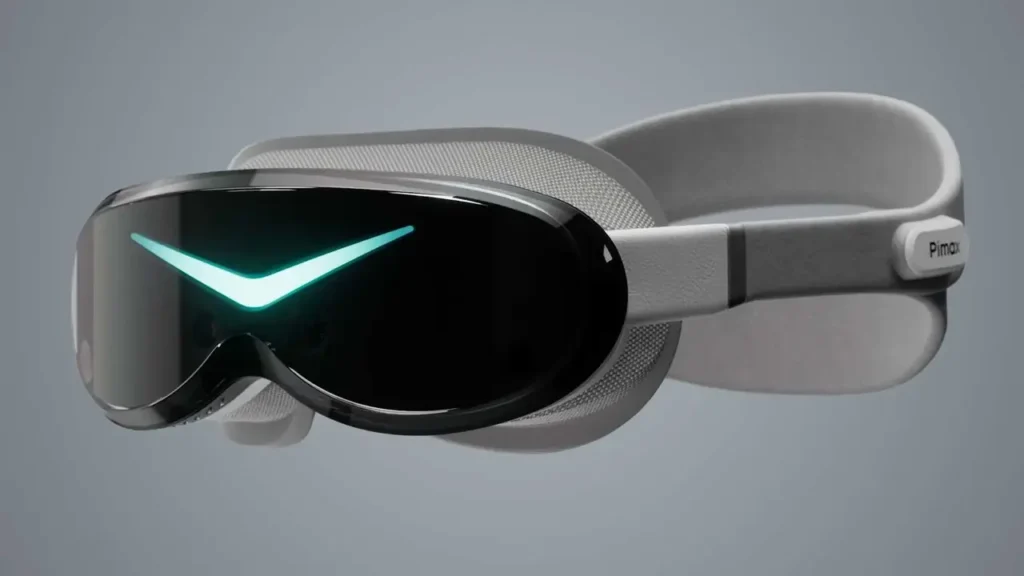
Pimax Dream Air
The greatest strength of the Pimax Dream Air is its exceptionally low weight combined with high-resolution Micro-OLED displays. Compared to the Crystal Super, it is designed for users who want the most compact and lightweight high-end PCVR headset possible. Both the Dream Air and Dream Air SE are available with Inside-Out Tracking (SLAM) or Lighthouse Tracking. If you already own Lighthouse base stations and Valve Index controllers, I personally recommend choosing the Lighthouse version.
The Dream Air offers the higher-resolution displays and is aimed at users who want the very best the platform has to offer. The Dream Air SE features a slightly lower resolution, making it a more affordable entry point into high-end PC VR. Apart from the display resolution, both models offer the same core features, including Eye Tracking and the choice between SLAM and Lighthouse Tracking. For more in-depth information, reviews, comparisons and tests, check out my dedicated Pimax Dream Air section.
Choose the Dream Air if…
- you want the lightest possible high-end PCVR headset.
- you want the highest available resolution.
- a compact form factor is more important to you than interchangeable Optical Engines.
Choose the Dream Air SE if…
- you’re looking for a more affordable entry into high-end PCVR.
- the slightly lower resolution is an acceptable trade-off.
- you want the same core features, including Eye Tracking and the choice between SLAM and Lighthouse Tracking.
You can access the official product pages for the Pimax Dream Air and Pimax Dream Air SE using the links below.
Pimax Crystal Super Accessories
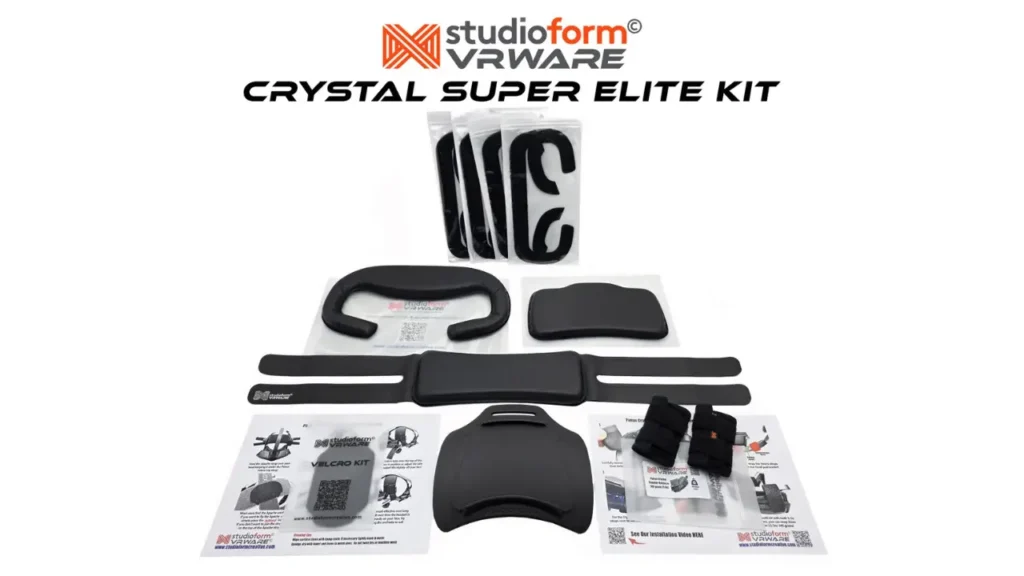
Studioform VRWare Crystal Super Elite Kit
The Crystal Super Elite Kit (official product page) includes everything you need to tailor the headset to your personal fit and make it significantly more comfortable. I upgraded my own Crystal Super with this kit, and from my own experience I can say that it made a noticeable difference in long VR sessions.
The kit includes a 14 mm face pad and a 14 mm rear pad (both available in either PU leather or fabric), a Face Foam Spacer Pack with four different spacers, the Studioform Apache Comfort Strap (matching your selected pad material), a 3D-printed Crystal Super X1-P Elite Rear Head Pad Mount, and a 150 g counterweight for improved weight distribution.
What’s included
- 1× Face Pad (14 mm, PU leather or fabric)
- 1× Rear Pad (14 mm, PU leather or fabric)
- 1× Face Foam Spacer Pack (4-piece set)
- 1× Apache Comfort Strap (PU leather or fabric)
- 1× 3D-printed Crystal Super X1-P Elite Rear Head Pad Mount
- 1× 150 g Counterweight
If you’d like to see the Crystal Super Elite Kit in action, be sure to check out my article and video about the upgrades that have become a permanent part of my Pimax Crystal Super setup.
Antlion ModMic Wireless
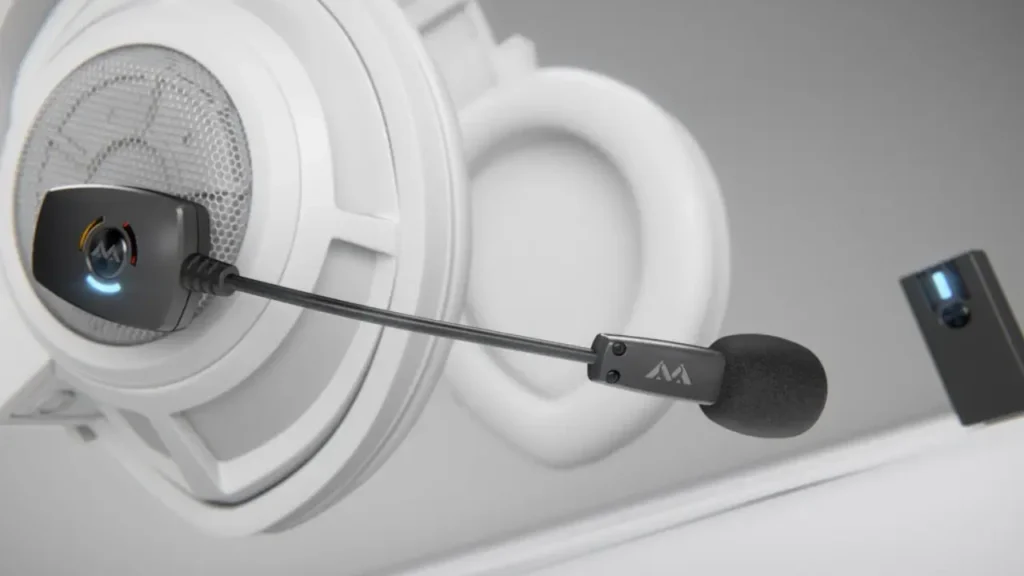
The Antlion ModMic Wireless (official product page) is, for me, the easiest way to significantly improve the microphone quality of the Pimax Crystal Super. Compared to the headset’s built-in microphone, the ModMic Wireless delivers much clearer and more natural voice reproduction. Voices sound fuller, background noise is reduced more effectively, and overall speech intelligibility is noticeably better—a difference that’s immediately apparent in multiplayer games, voice recordings, and video production.
The wireless microphone attaches to the headset using a magnetic mount and can be installed or removed in just a few seconds. Since it operates independently of the headset, it can also be reused with other VR headsets or even conventional headphones. This combination of excellent voice quality and long-term flexibility is exactly why the ModMic Wireless has become a permanent part of my VR setup.
If you’d like to see the ModMic Wireless in action, be sure to check out my article and video about the upgrades that have become a permanent part of my Pimax Crystal Super setup.
Pimax Dream Air Accessories
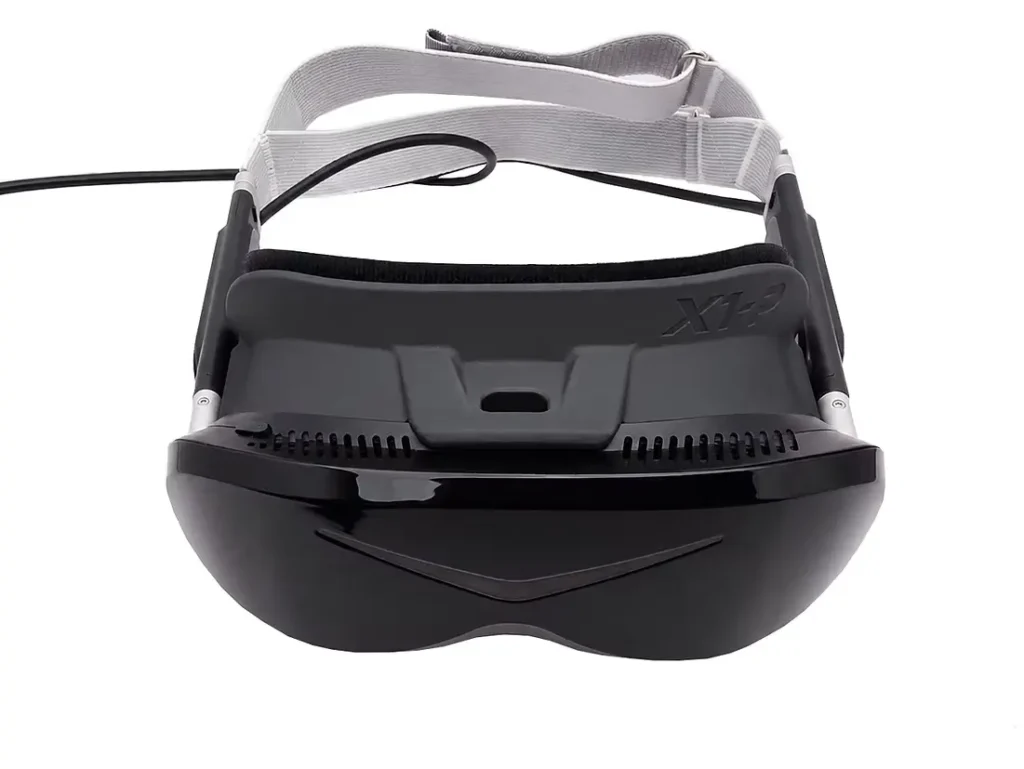
The Studioform X1-P Facial Interface is compatible with both the Pimax Dream Air and Dream Air SE and offers significantly more customization than the standard facial interface. It attaches directly to the headset using a clip-on system, ensuring a secure fit without relying on magnets.
The kit includes three face pads with different thicknesses (3, 8, and 12 mm) as well as four additional foam spacers. These allow you to fine-tune the distance between your eyes and the lenses. A shorter distance can provide a larger visible field of view (FOV), while thicker pads increase the distance and may offer greater comfort depending on your face shape.
The additional spacers can also be used to adjust the shape and fit of the interface. For wider or narrower face shapes, they can be positioned selectively in the center or along the sides. They can also be used to adjust the tilt of the interface. At the same time, the interface is designed to effectively reduce external light leakage.
Depending on the selected version, the face pads are available in gray fabric, PU leather, or as a mixed set. The interface can also be particularly useful when combined with the Studioform Dream Air Mini Deluxe Comfort Strap.
Included: X1-P Interface, 3 mm, 8 mm, and 12 mm face pads, plus four foam spacers.
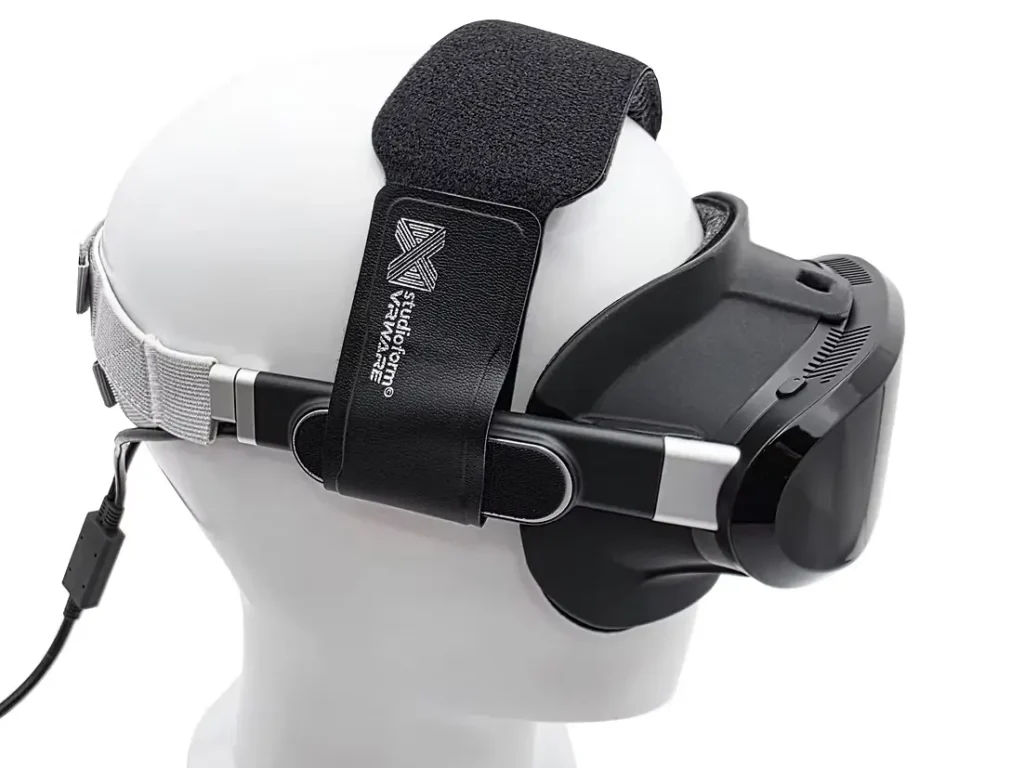
The Studioform Dream Air Mini Deluxe Comfort Strap is an additional top strap for the Pimax Dream Air, designed to distribute the headset’s weight more evenly across your head. It helps keep the headset stable in the desired position in front of your eyes, allowing you to wear the main head strap a little looser. This can improve comfort, especially during longer VR sessions.
The strap features soft memory foam padding, available with either gray fabric or breathable PU leather. It pairs particularly well with the Studioform X1-P Facial Interface, which is sold separately and is not included.
Included: Mini Deluxe Comfort Strap with your selected padding, two Velcro mounting tabs, and an instruction sheet.