
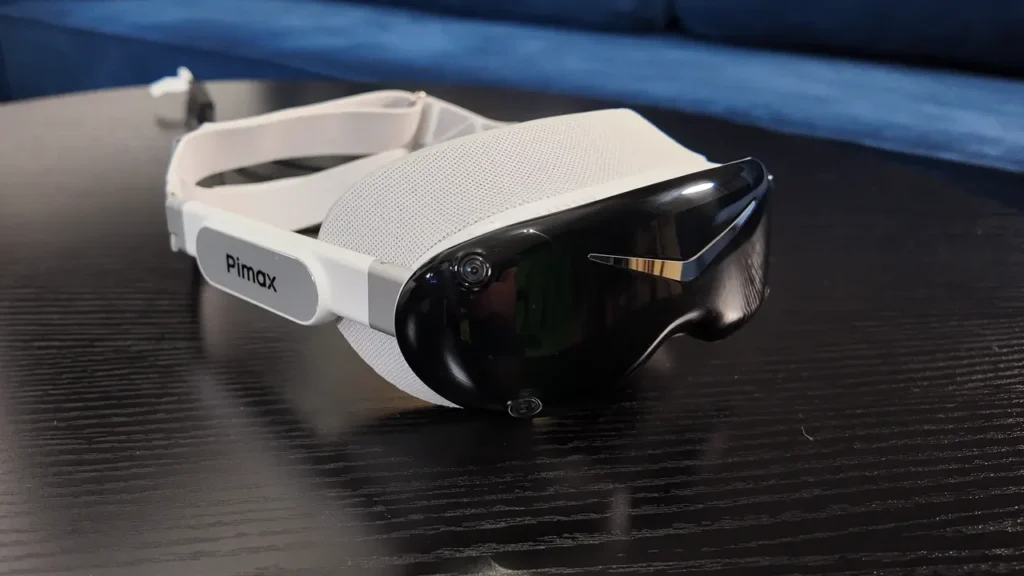
With the Dream Air SE, Pimax is taking a noticeably different approach compared to the Crystal series. Instead of a large and heavy housing, we get an exceptionally compact PCVR headset with Micro-OLED displays, pancake lenses, and a weight of just around 270 grams in the configuration I actually used. On top of that, there is eye tracking, motorized IPD adjustment, and a choice between inside-out and Lighthouse tracking. On paper, this makes for a very interesting overall package.
However, my testing also showed that the Dream Air SE is not a headset that feels completely finished and straightforward in every respect. There are still areas where Pimax could improve, particularly when it comes to comfort, motion blur, and some aspects of the software.
For this review, I used the Dream Air SE over an extended period in the SLAM version with inside-out tracking. During that time, I continuously shared my findings on Reddit and incorporated feedback from the community into further testing. The headset was provided to me on loan by Pimax for this review. Pimax had no influence on my assessment.
Interested in the Pimax Dream Air SE or compatible accessories?
In my Pimax Buying Guide, you’ll find my recommendations for the current models, compatible accessories, and the latest product links.
Dream Air SE: Features and Differences Compared to the Dream Air
Pimax offers the Dream Air series in two versions. The Dream Air SE is the more affordable model and uses the same compact housing as the higher-end Dream Air. Many of their features are identical as well. The main difference lies in the displays and lenses.
The Dream Air SE uses Micro-OLED panels with a resolution of 2560 × 2560 pixels per eye combined with pancake lenses. The Dream Air, on the other hand, offers 3840 × 3552 pixels per eye, higher-resolution Sony displays, and different lenses developed by Pimax. The lower resolution of the SE means less image sharpness, but it can also reduce the demands on the GPU. How significant this advantage is in a particular game, however, depends on much more than just the native panel resolution.
Other features include Tobii eye tracking, motorized IPD adjustment, an integrated audio system, and the choice between inside-out tracking and Lighthouse tracking. For this review, I tested the SLAM version with inside-out tracking and the included controllers.
Build Quality, Cable, Heat and Audio
The overall build quality of the Dream Air SE is solid. However, its extremely compact and lightweight housing does not feel quite as premium or substantial as something like the Valve Index. The headset features a USB-C port, a button for quickly switching off the displays, and a volume control. The controls are well positioned and work without any issues.
I am less impressed with the cable. Pimax splits it into two strands at the back of the head. The idea is to prevent the extremely light headset from being pulled out of position by uneven cable tension. The concept makes sense, but in practice, the cable is too thick and stiff for my taste. If there is tension on the cable from the side, it can still noticeably pull on the headset. With such a lightweight headset, this is particularly noticeable. I would have preferred a thinner and lighter fiber-optic cable, like the one Pimax used with the original Crystal.
The two cable strands are joined again through a small box, which becomes noticeably warm during operation. With my ceiling-mounted cable management system, this does not bother me, but it may be a different story if the box rests directly against your body. The headset itself also has an unusual characteristic when it comes to heat: as long as my PC is turned on, the Dream Air SE gets warm, even when I am not using it and Pimax Play is completely closed. Only when the PC is switched off does the headset remain completely cool. So if you want the headset to be completely powered down while your PC is still running, you will need to disconnect it from the power supply.
The two integrated fans, on the other hand, are pleasantly unobtrusive and practically unnoticeable to me during normal use. The integrated speakers are decent in terms of sound quality, but nothing exceptional. There is also a built-in microphone, which provides perfectly usable quality for voice communication.
Comfort: 270 Grams Doesn’t Automatically Mean Comfortable
The low weight is one of the Dream Air SE’s biggest strengths. In my measurements, the complete headset, including the facial interface and head strap, weighs just around 270 grams. Pimax states a weight of 140 grams for the optical unit alone. Compared to the large headsets of the Crystal series, this represents a radical change in direction. In my opinion, Pimax is definitely moving in the right direction here. A lightweight headset puts less strain on your head and neck and is also much easier to use with a ceiling-mounted cable management system.
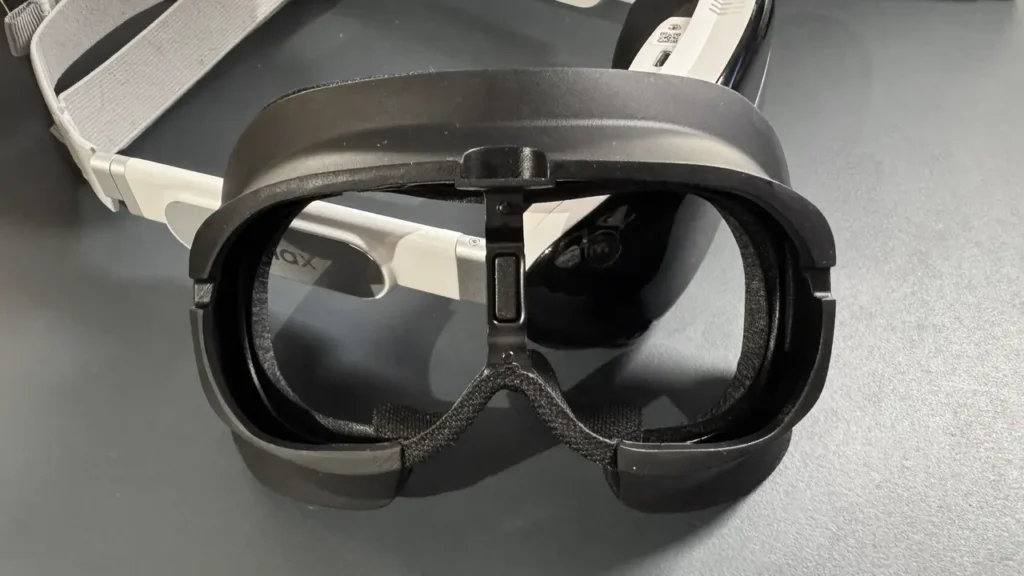
However, during my testing I found that low weight alone does not automatically make a headset comfortable. The original facial interface was extremely uncomfortable for my face and, at the same time, kept my eyes too far away from the lenses. This not only created uncomfortable pressure on my face, but also meant that I lost a significant portion of the headset’s potential field of view. I am not entirely convinced by the current head strap either. Finding the right position using straps and Velcro is unnecessarily fiddly. It gets easier with some experience, but it is still not an elegant solution.
The ProFit facial interface that Pimax provided later made a significant improvement for me. It fits my face much more comfortably and brings my eyes noticeably closer to the lenses. This not only improves comfort, but also significantly increases the usable field of view. The cushion used with the ProFit interface comes from Studioform Creative. Studioform now also offers its own comfort solutions for the Dream Air series, which I will take a closer look at in a separate review.
Pimax has also announced a new head strap that is expected to feature an adjustment dial as well as an improved DMAS-quality audio solution. From my perspective, there is still considerable room for improvement when it comes to the head strap.
FOV and Image Quality: The Dream Air SE’s Major Strengths
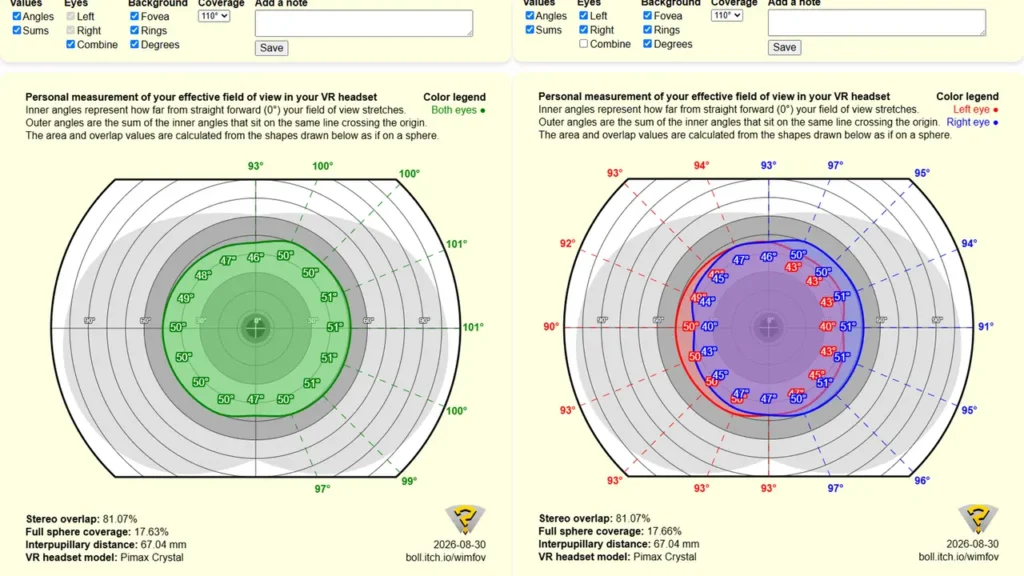
Micro-OLED displays combined with pancake lenses are not exactly known for providing huge fields of view. The Dream Air SE is no FOV monster either. However, the crucial factor is how close your eyes can get to the lenses. With the original facial interface, I initially measured only around 82 degrees horizontally using TestHMD. However, this value does not represent the actual potential of the optical system. My eyes were simply too far away from the lenses.
With the ProFit interface, things look completely different. First, I used HMDQ to determine the field of view that the headset technically provides with its current distortion profile. The result was 104.6 degrees horizontally, 93 degrees vertically, and 80.35 degrees of binocular overlap. I then used WimFOV to measure how much of that I can actually see with my face shape and the ProFit interface: 101 degrees horizontally, 93 degrees vertically, and 81.7 degrees of binocular overlap. This means I can make use of almost the entire field of view technically provided by the headset. For such a small Micro-OLED headset with pancake lenses, I consider these numbers quite respectable. In actual VR use, I do not feel that the field of view is uncomfortably small either.
Image quality is one of the strongest arguments for the Dream Air SE anyway. Micro-OLED delivers excellent black levels, strong contrast, and very vibrant colors. Dark and high-contrast games in particular benefit enormously from this. It is especially noticeable in Elite Dangerous or Microsoft Flight Simulator. Cockpit instruments and labels are easy to read, and the overall image has a brilliance that many LCD headsets simply cannot match. I did not notice any distracting mura during my testing, nor did I observe any significant color shifts toward the edges of the image.
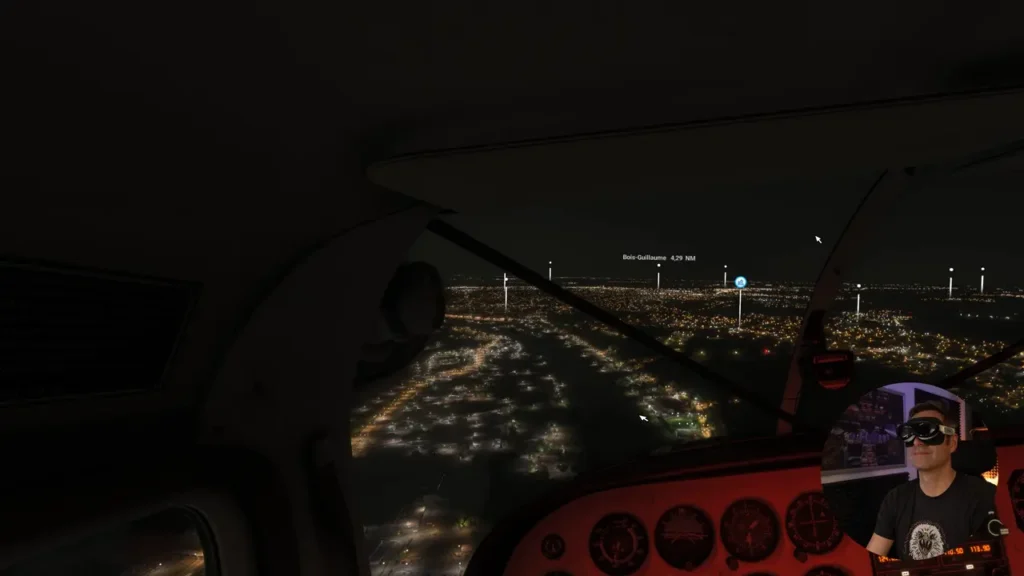
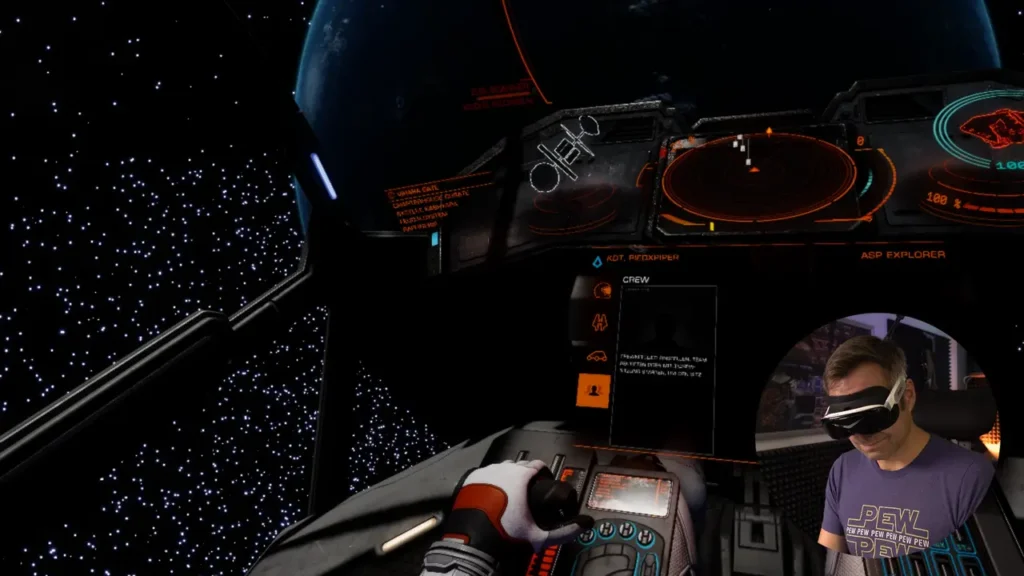
The optics are not without weaknesses, though. At the very outer edges, I can notice some slight darkening when I specifically look for it. There are also reflections and glare, which can become visible particularly in dark scenes with isolated bright elements. Bright objects can then appear again as faint, slightly offset reflections. At 2560 × 2560 pixels per eye, the image is not completely free of visible pixels either. If you look closely, individual pixels can still be seen. Compared to very high-resolution PCVR headsets, there is therefore some loss of fine detail.
Motion Blur and Warping
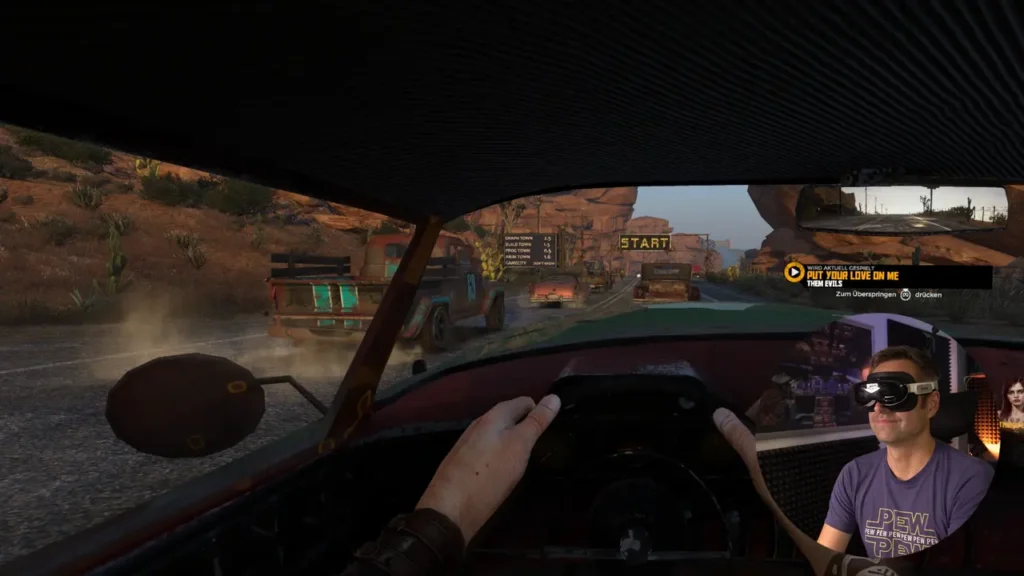
What bothered me significantly more was the motion blur. When I move my head, the image noticeably loses sharpness. I was unable to eliminate this behavior either by changing the brightness settings or by switching between 72 and 90 Hz. During actual gameplay, I eventually got used to it and barely noticed it consciously after a while. However, users who are sensitive to motion blur should take this issue seriously.
Pimax is aware of the issue. According to the company, this behavior can be influenced to some extent through software and the way the OLED panels are driven. This involves finding a balance between factors such as brightness and motion clarity. At this point, however, I can only evaluate the state of the headset as I experienced it during my testing.
In addition to the motion blur, I noticed some slight geometric warping during head movements. The center of the image remains stable, while toward the edges there is a subtle bending or distortion. I can see this behavior on both the Dream Air SE and the Dream Air. In direct comparison, I do not experience this effect with my Pimax Crystal Super and its aspheric glass lenses.
Pancake lenses require extensive software correction to compensate for their geometric distortions. However, the fact that this issue is less noticeable to my eyes on other headsets with pancake lenses shows that there is still room for improvement here. The warping would not be a deal-breaker for me, but I would still like to see Pimax further improve the distortion profile.

Eye Strain: A Small Offset with a Big Impact
One of the most difficult issues during my testing was eye strain. At first, my eyes had to work noticeably hard to merge the images from both eyes. After taking off the headset, it took my eyes a moment to readjust to normal vision. Changing the IPD and moving my eyes closer to the lenses did not solve the problem for me.
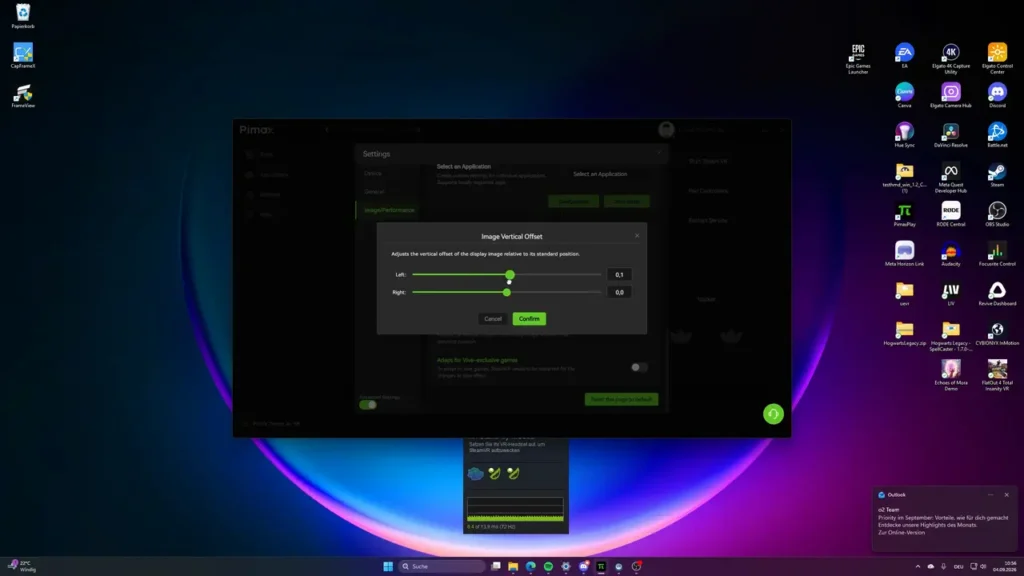
The crucial tip eventually came from the Reddit community: I should experiment with the individual eye offsets in Pimax Play. I noticed that the images for my left and right eyes appeared to be very slightly vertically misaligned. Changing the vertical offset for one eye by just 0.1 had a surprisingly significant effect. The eye strain was dramatically reduced, and after taking off the headset, my eyes were able to readjust to normal vision much more quickly.
I cannot say with certainty why this correction was necessary in my case. With only one headset to test, I cannot determine whether it was related to my individual anatomy, the alignment of my eyes relative to the lenses, or the calibration of my particular test unit. If you experience similar problems with a Dream Air SE, I therefore would not limit your troubleshooting to IPD adjustments. The individual eye offset settings in Pimax Play are also worth checking.
Here is a quick tip for finding out whether you should make any adjustments using the offset settings in Pimax Play.
Go into an environment such as SteamVR Home and focus on a fixed point on a virtual wall, preferably from a short distance away. Then alternately close your left and right eye and observe how the perspective changes. A certain amount of horizontal shifting is perfectly normal, as this reflects the slightly different perspectives of your two eyes. However, if the image also shifts vertically between your left and right eye, you should experiment with the vertical offset in Pimax Play in very small increments. You should notice an improvement immediately.
Interested in the Pimax Dream Air SE or compatible accessories?
In my Pimax Buying Guide, you’ll find my recommendations for the current models, compatible accessories, and the latest product links.
SLAM Tracking: Good for Simulators and Casual Gaming
I tested the Dream Air SE in the inside-out version, which Pimax refers to as the SLAM version. Four cameras on the headset track the environment and use this information to determine the headset’s position. The same cameras are also used to track the controllers. They also provide a basic black-and-white passthrough view.
When discussing tracking, it is important to distinguish between head tracking and controller tracking. Head tracking works well for me. This is particularly important for sim racers and flight sim users: if you do not need controllers, you get a headset that reliably tracks my head movements without requiring external Lighthouse base stations.
Controller tracking is more challenging. I was skeptical after my initial tests, but my impression improved over time. Normal gaming works without any issues, and even when aiming in shooters, I was able to play with surprisingly good precision. However, the system still does not reach the level of a Meta Quest 3 for me.
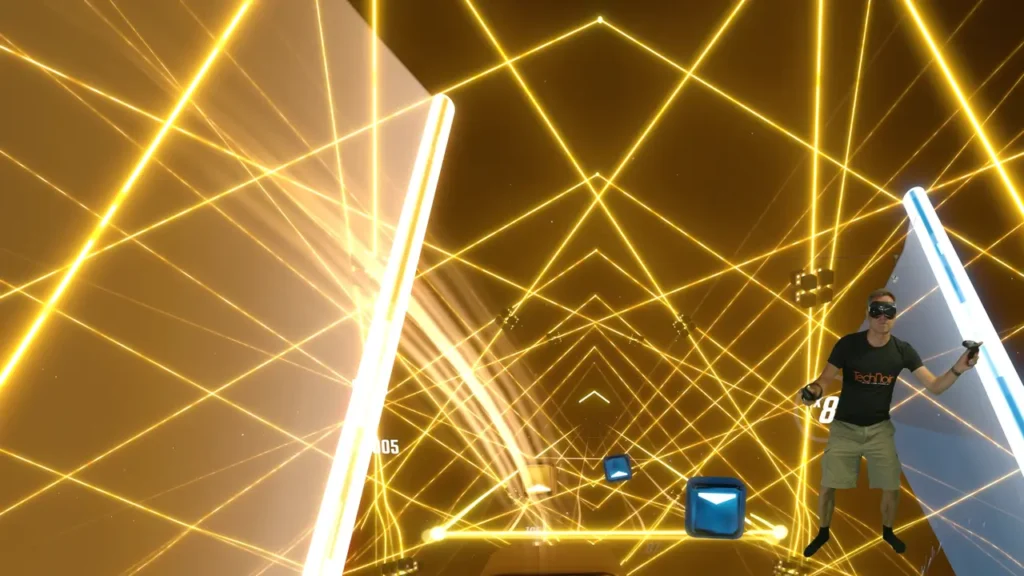
Its limitations become most apparent with fast and large controller movements. In Beat Saber at higher difficulty levels, I was able to provoke situations where the controllers lost their position. After that, the system takes too long for my taste to correctly reacquire their actual position. For simulators, regular gaming, and occasional shooters, I therefore consider the SLAM tracking perfectly usable. However, if you play Beat Saber at a high level or use other applications involving extremely fast controller movements, I would recommend looking at the Lighthouse version instead.
One more word about the rechargeable controllers included with the Dream Air SE. These ring-style controllers have already been used with the Crystal Super, the Crystal Light, and the original Crystal. They feel a bit rattly, the build quality is not particularly premium, and with the tracking ring they also feel somewhat outdated by today’s standards. That said, they have worked reliably for me ever since the first Pimax Crystal — literally for years now. Pimax had originally announced new ringless controllers, but so far those still haven’t been released.

Pimax Play: Plenty of Options, but One Familiar Problem
Pimax Play has evolved considerably over the past few years and now offers a wide range of settings. These include motorized IPD adjustment, eye tracking, Dynamic Foveated Rendering, individual eye offsets, and various runtime options. Some of the more advanced features, however, only become visible when Expert Mode is enabled.
The Dream Air SE can be operated at either 72 or 90 Hz. The 90 Hz mode is achieved through overdrive and uses a reduced render resolution that is subsequently upscaled. This results in a noticeable loss of image sharpness. For this reason, I used the headset mostly at 72 Hz. The integrated eye tracking also enables Dynamic Foveated Rendering, which adjusts the render resolution depending on where you are looking. Especially in very demanding applications such as Microsoft Flight Simulator, this can significantly reduce the load on the GPU. Motion Compensation for moving sim rigs is also available.
Despite how comprehensive the software has become, there is one issue that I have been experiencing with Pimax for years: the play area and floor height are not reliably saved permanently in my setup. Sometimes simply taking off the headset is enough for me to have to set the floor height again afterward. In other cases, a previously configured play area has disappeared.
This is not an issue specific to my Dream Air SE test. I have experienced this behavior with several Pimax headsets over a period of years. According to Pimax, the company is working on improvements to the room setup. For my review, however, what matters is the current state – and for me, it still does not work reliably.
Who Is the Pimax Dream Air SE For?
The Dream Air SE is particularly interesting for PCVR users looking for a small and extremely lightweight headset with Micro-OLED displays. The concept is especially appealing for sim racers and flight sim enthusiasts. Head tracking on the SLAM version works well for me, eye tracking enables Dynamic Foveated Rendering, and the excellent black levels of the OLED panels are particularly impressive in cockpits.
The Dream Air SE can also be an interesting entry point into higher-end PCVR. If you are coming from something like a Meta Quest 3, for example, you get a significant upgrade in black levels, contrast, and color reproduction. The lower resolution compared to the Dream Air may also be attractive to users who do not have an absolute top-end graphics card.
At the moment, I would be less likely to recommend the headset to users who are particularly sensitive to motion blur. With the SLAM version, it also depends on the types of games you prefer. The tracking is perfectly usable for regular gaming. For fast, competitive applications, however, I would prefer Lighthouse tracking.
The Dream Air SE also demonstrates one of the fundamental characteristics of the Pimax ecosystem very well. You get a huge number of options for adapting the headset to your individual requirements. But that freedom also comes with additional complexity. If you are looking for a headset that you simply unpack, put on, and ideally never have to configure again, this is something you should be aware of.
In my case, for example, I needed the ProFit facial interface before I could make use of almost the entire available field of view. With the eye strain issue, a tiny individual offset adjustment made a substantial difference. If you are willing to spend some time working with settings like these, you can get a lot out of the Dream Air SE.
Conclusion: A Strong Foundation That Still Feels Unfinished in Some Areas
Has Pimax delivered on the promise of a small, extremely lightweight, and comparatively affordable Micro-OLED PCVR headset? For me, the answer is basically yes.
The combination of very low weight, a compact housing, Micro-OLED displays, eye tracking, a decent field of view, and extensive configuration options makes the Dream Air SE an extremely interesting PCVR headset. Image quality is particularly impressive. Black levels, contrast, and colors are among the headset’s greatest strengths. With the right facial interface, the field of view is also surprisingly good for a headset in this class.
At the same time, after my extended testing period, I am left with the impression that Pimax brought the headset to market a little too quickly in some areas. The original facial interface worked poorly for my face, the current head strap feels like an interim solution, motion blur is still clearly visible, and there is also room for improvement in the software and distortion profile.
That is particularly unfortunate because the underlying foundation is very good. A buyer who unboxes a new headset and immediately encounters several issues like these may not wait for future firmware, software, or hardware improvements. In the worst case, they will simply return the headset.
If, on the other hand, you are willing to spend some time fine-tuning the headset to your individual needs, the Dream Air SE can be a very enjoyable PCVR headset.
For me, the Pimax Dream Air SE is therefore not a perfect headset. But it is one of the most interesting examples of where compact high-end PCVR headsets could be heading – and a headset where Pimax only needs to go the final few steps in several areas.