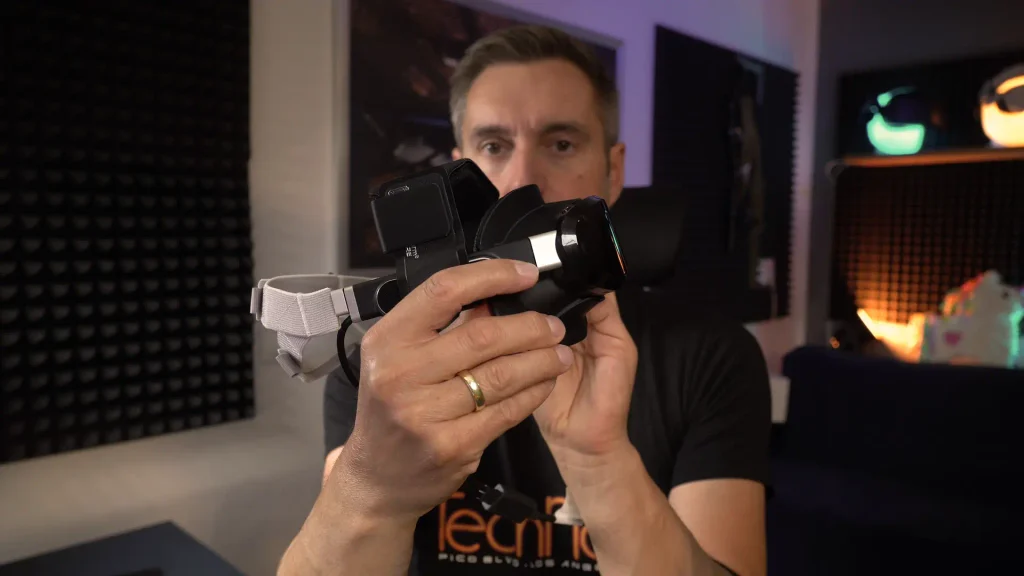
I am currently in the middle of preparing my detailed Dream Air review. However, I ran into the same problem that I already described in my Dream Air SE review: Although the headset is extremely light, I still do not find it particularly comfortable with the original facial interface. Since the Dream Air and Dream Air SE share the same design and head strap system, this generally affects both models.
Pimax is now working on revised solutions. However, the new facial interface for the Dream Air was not available at the time of my test. There is also no final official upgrade for the Dream Air SE yet. That is why I tried to find out how much the accessories from Studioform Creative can improve both headsets. This was not only about comfort. A different facial interface also changes the distance between your eyes and the lenses, which can affect the field of view you can actually see.
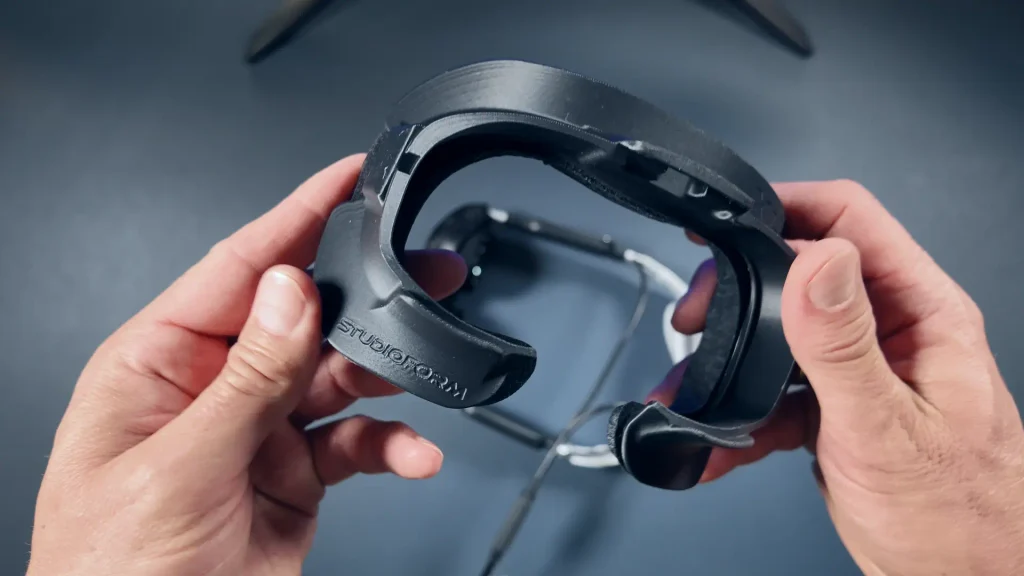
The Studioform X1-P Facial Interface
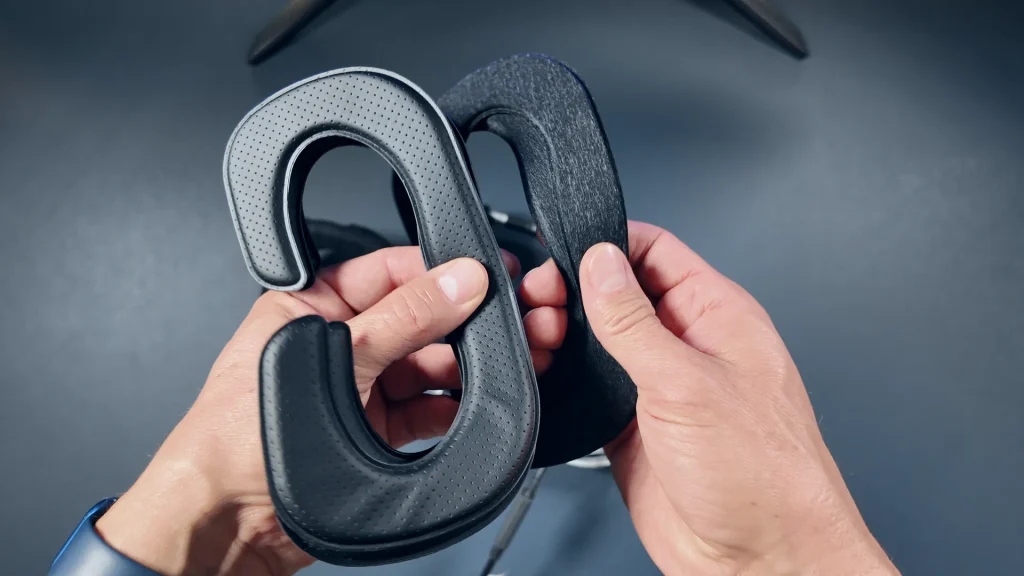
As an alternative to the original interface, I used the X1-P Facial Interface from Studioform. It is 3D-printed and has a cutout at the top for the Dream Air’s USB-C port. On my early creator unit, this port is still partially covered by the serial number sticker. Pimax has since moved the serial number to a different location on currently shipping headsets.
The X1-P is available with different cushions. You can choose between a silk-like fabric and synthetic leather. Which version feels more comfortable will naturally depend on your personal preference. Synthetic leather has the practical advantage of being particularly easy to wipe clean.
For me, however, choosing the right cushion thickness is even more important than the material. I use the thickest of the included cushions because the thinner versions bring my eyes too close to the lenses. For people whose eyes sit deeper in their eye sockets, a significantly thinner cushion may be the better choice. This is one of the strengths of this solution: The distance to the lenses can be adjusted much more precisely than with the original interface.
Interested in the Pimax Dream Air or compatible accessories?
In my Pimax Buying Guide, you’ll find my recommendations for the current models, compatible accessories, and the latest product links.
Studioform also includes a spacer. It can be placed underneath the entire cushion to increase the distance from the headset. Alternatively, it can be cut to size by following the included instructions. This makes it possible to adapt the interface more closely to a wider or narrower face.
While the original facial interface attaches magnetically, the X1-P clips directly onto the headset. This works without any problems and feels very secure once installed. It only gets a little tight at the bottom, where one of the clips sits very close to the volume buttons. They remain usable, but are slightly harder to reach. For me, this was not a serious issue in everyday use.
Two Different Comfort Straps
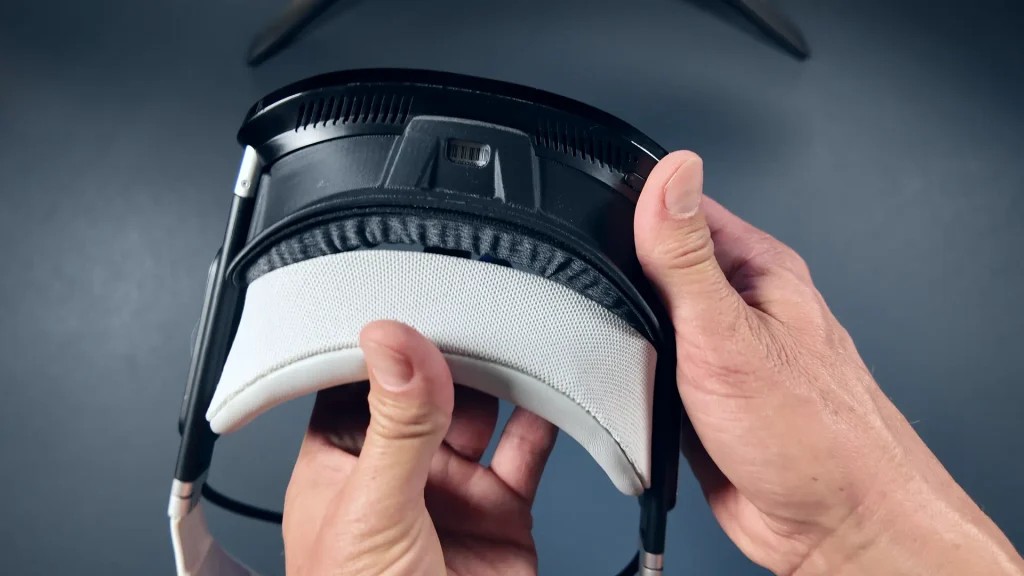
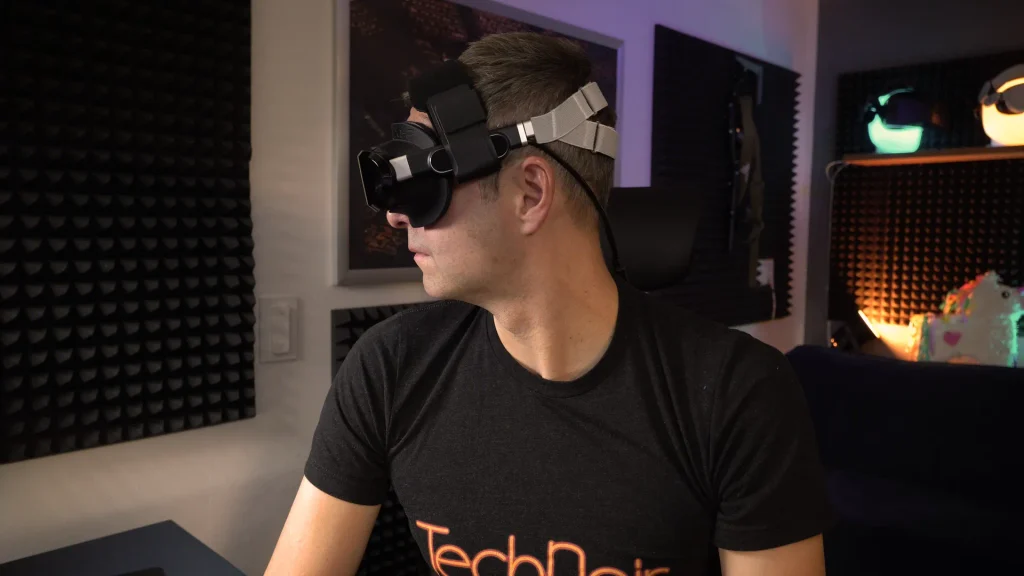
In addition to the facial interface, I tested two different Apache straps from Studioform. The larger Apache Comfort Strap was not designed exclusively for the Dream Air and can also be used with headsets such as the PlayStation VR2. It has a wide contact area and distributes the weight across a larger area on top of the head.
The other option is the Pimax Dream Air Mini Deluxe Comfort Strap, which was developed specifically for the Dream Air and Dream Air SE. It is noticeably smaller, narrower and more compact. Once again, you can choose between synthetic leather cushions and the silk-like fabric material.
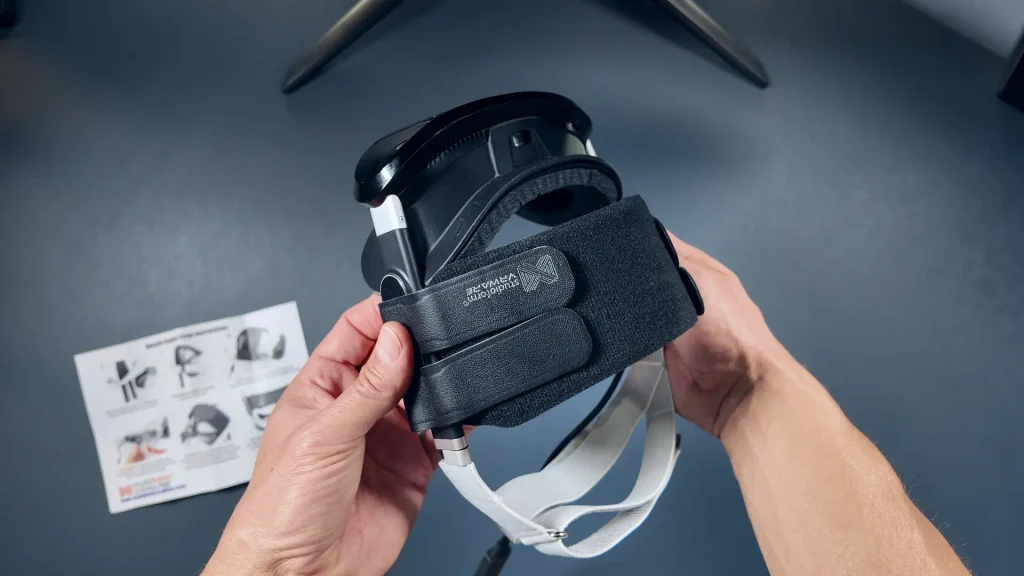
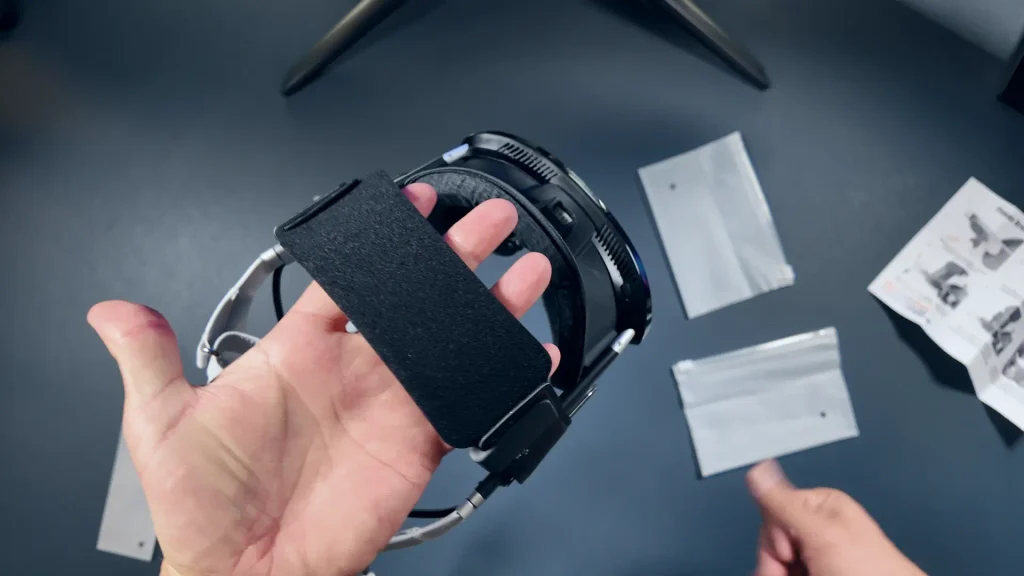
Both versions are mainly attached with Velcro. Unfortunately, this means covering the Pimax logos on the sides of the Dream Air with the corresponding Velcro patches. It is not the most elegant solution, but it prevents the strap from moving while the headset is being worn. Since I cannot see what I am wearing on my head anyway, function is more important to me than appearance in this case.
The larger Apache Comfort Strap offers the wider contact area. Personally, I still prefer the smaller Mini Deluxe version. It suits the compact appearance of the headset and stabilizes it without looking unnecessarily bulky. The strap is wrapped around the original head strap and secured with Velcro. Studioform also includes additional clips that can hold it even more firmly in place. During my initial tests, it already felt stable without these clips, although they may prove useful over longer periods of use.
The finished setup reminds me a little of the Apple Vision Pro’s Dual Loop Band. The original band holds the headset against the back of the head, while the additional strap creates a second contact point on top of the head. This allows the side strap to be worn a little more loosely without the Dream Air losing its position in front of the eyes.
How Does It Affect the Field of View?
My FOV measurements produced an interesting result. With the Studioform X1-P Facial Interface, I achieve 106 degrees horizontally and 88 degrees vertically on the Dream Air. However, the originally supplied standard interface is only slightly behind. With that interface, I measure 104 degrees horizontally and the same 88 degrees vertically. In my case, the difference is therefore just two degrees on the horizontal axis. There is no difference at all in the vertical field of view. That is considerably less than I expected before the test.
For comparison, I also tested the Pimax ProFit prototype again. It is actually being developed for the Dream Air SE, but can also be used with the standard Dream Air. It gave me exactly the same result as the Studioform interface: 106 degrees horizontally and 88 degrees vertically. In terms of comfort, the ProFit and X1-P are also very close for me.
I ran the same tests with the Dream Air SE and obtained the results I had actually expected. The ProFit and X1-P achieved the same horizontal and vertical FOV: 100 degrees horizontally and 88 degrees vertically. The included facial interface performs considerably worse here, with a horizontal FOV well below 90 degrees.
The exact values will always depend on your individual face shape, how deeply your eyes sit and the thickness of the cushion you use. Someone who can get closer to the lenses with a thinner cushion may therefore achieve different results. On the Dream Air, I need the thickest cushion to prevent my eyes from touching the lenses. With the Studioform X1-P on the Dream Air SE, however, I had to use a thinner cushion to obtain the full FOV.
Interested in the Pimax Dream Air or compatible accessories?
In my Pimax Buying Guide, you’ll find my recommendations for the current models, compatible accessories, and the latest product links.
My Verdict on the Studioform Accessories
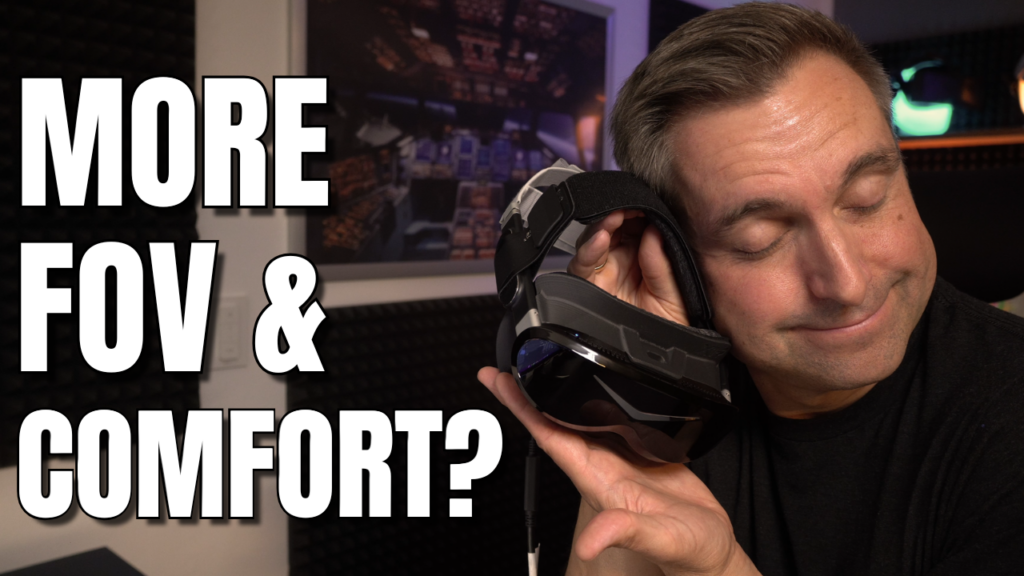
With the X1-P Facial Interface and the Mini Deluxe Comfort Strap, the Dream Air is genuinely comfortable for me. The already very light headset distributes its weight even better across my head, feels secure and compact, and barely moves even during faster head movements. Of course, the Dream Air does not create the same amount of leverage as the significantly heavier Pimax Crystal Super. Nevertheless, the additional strap makes a clearly noticeable difference to comfort.
On the Dream Air, the two-degree increase in horizontal field of view is smaller than expected. For me, the main advantage of the Studioform accessories in this case is therefore not a significantly wider view, but the improved comfort and the range of individual adjustments. Different cushion thicknesses, two materials and the trimmable spacer make it easier to find the right distance from the lenses and a good fit for your own face shape. On the Dream Air SE, however, the Studioform X1-P definitely provides a substantial FOV upgrade.
What I am still missing is an alternative solution for the rear section of the head strap. Pimax is already working on a new version that is also expected to include a DMAS audio solution. I can also imagine other third-party manufacturers developing their own solutions for the Dream Air in the future. For me, however, the X1-P Facial Interface and the additional Comfort Strap already represent a major step forward, and both work equally well with the Pimax Dream Air and Dream Air SE.