
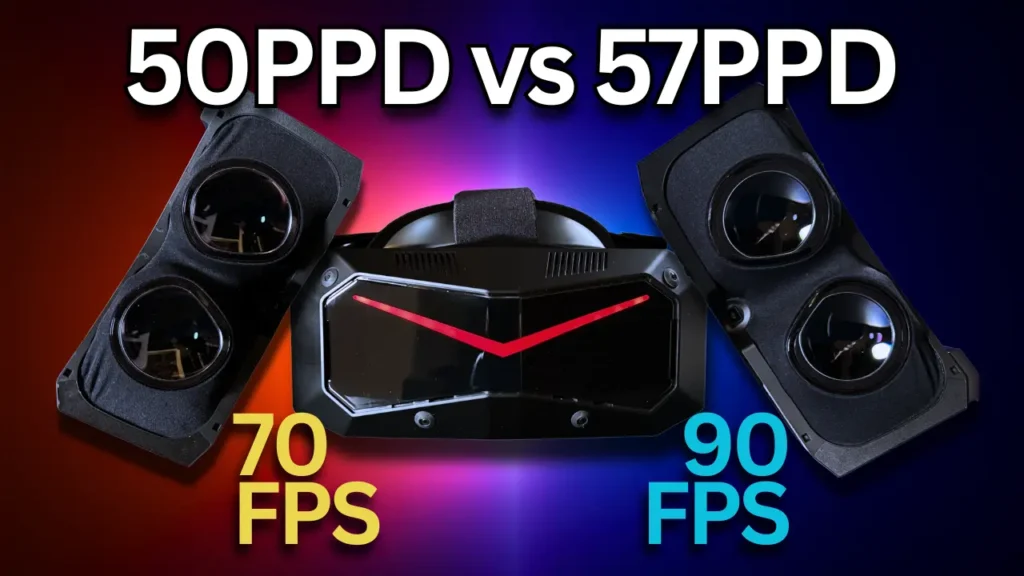
The question of which Pimax Crystal Super module is the better choice is not nearly as straightforward as it might seem at first glance. While the 50 PPD module stands out with its larger field of view, bigger sweet spot and overall more comfortable visual presentation, the 57 PPD module promises better performance thanks to its smaller field of view and higher pixel density.
That is exactly what I wanted to take a closer look at.
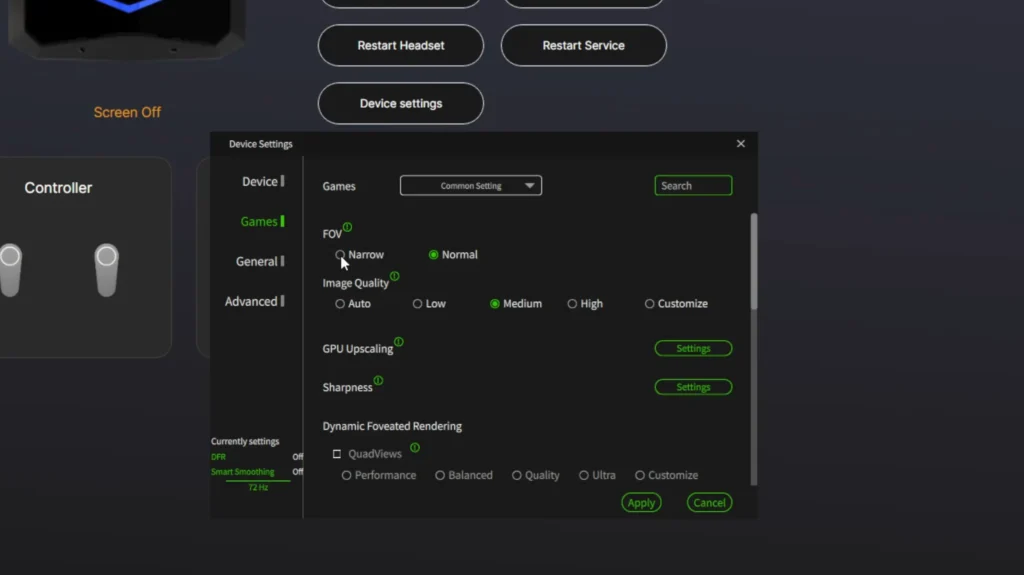
On paper, the situation initially sounds quite clear. A smaller field of view means less image area that needs to be rendered by the GPU. Naturally, that should give the 57 PPD module a noticeable advantage, especially on weaker systems. At the same time, however, there are now ways to artificially reduce the field of view of the 50 PPD module as well — either directly through Pimax Play or in much more detail through the OpenXR Toolkit.
That led to a very interesting question: can the 50 PPD module close the performance gap to the 57 PPD module by reducing its field of view?
And honestly, some of the results surprised me quite a bit.
Two Very Different Approaches
Even during normal use, it becomes obvious fairly quickly that both modules feel very different.
The 57 PPD module delivers an extremely sharp central image due to its smaller field of view and higher pixel density. At the same time, the sweet spot is noticeably smaller and chromatic aberrations are far more visible. This becomes especially apparent around high-contrast edges. Personally, I find the image of the 50 PPD module considerably more comfortable overall.
Looking for the Pimax Crystal Super?
Visit my Pimax Buying Guide for an overview of all current Pimax headsets, optical engines, recommended accessories, and the latest product links.
The downside is that the 50 PPD module has to render significantly more image area. With roughly 125 degrees horizontal FOV and around 107 degrees vertical FOV in my testing, it sits well above the 57 PPD module, which measured at around 102 degrees horizontal and 87 degrees vertical for me.
Naturally, that difference has a direct impact on GPU load.
Things become more interesting once the 50 PPD module is switched into the so-called Narrow Mode. This significantly reduces the horizontal field of view. The goal behind it is obvious: reduce rendering workload and improve performance.
Surprisingly Small Differences in Microsoft Flight Simulator 2024
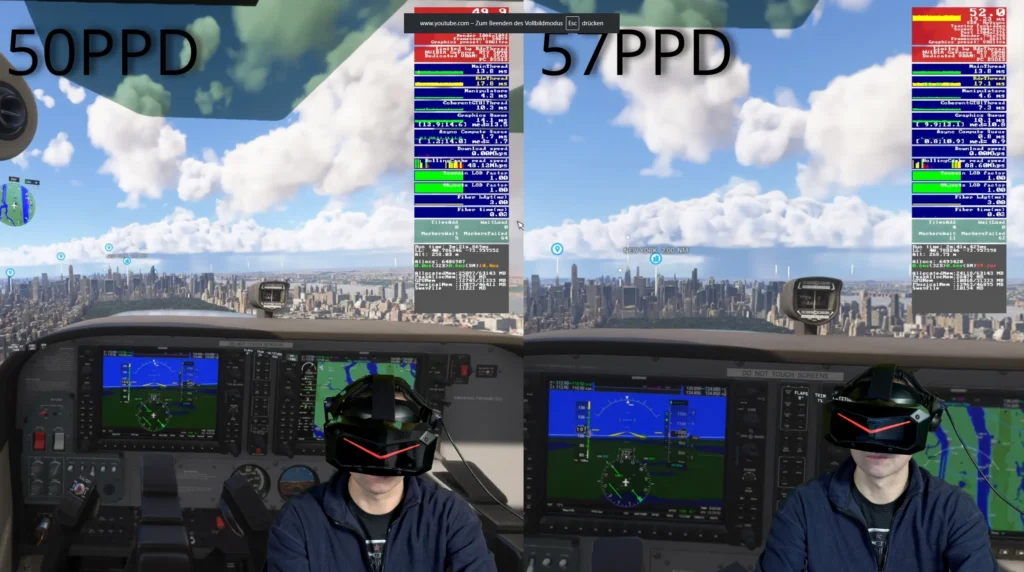
The first title I tested was Microsoft Flight Simulator 2024 — a game well known for pushing even powerful PCs to their limits.
For testing, I used Pimax OpenXR together with Quad-View Foveated Rendering.
And this is where things already became interesting.
The performance difference between both modules ended up being much smaller than I had expected. The 57 PPD module was indeed slightly faster, but we are talking about only a handful of FPS rather than a dramatic gap.
Things became even more interesting once Narrow Mode was enabled on the 50 PPD module. Performance suddenly moved surprisingly close to the 57 PPD module. That does not mean the 50 PPD module suddenly looks sharper, of course. The higher pixel density advantage of the 57 PPD module still remains. But purely from a performance perspective, the gap inside Flight Simulator was far smaller than I originally expected.
Contractors Showdown Paints a Completely Different Picture
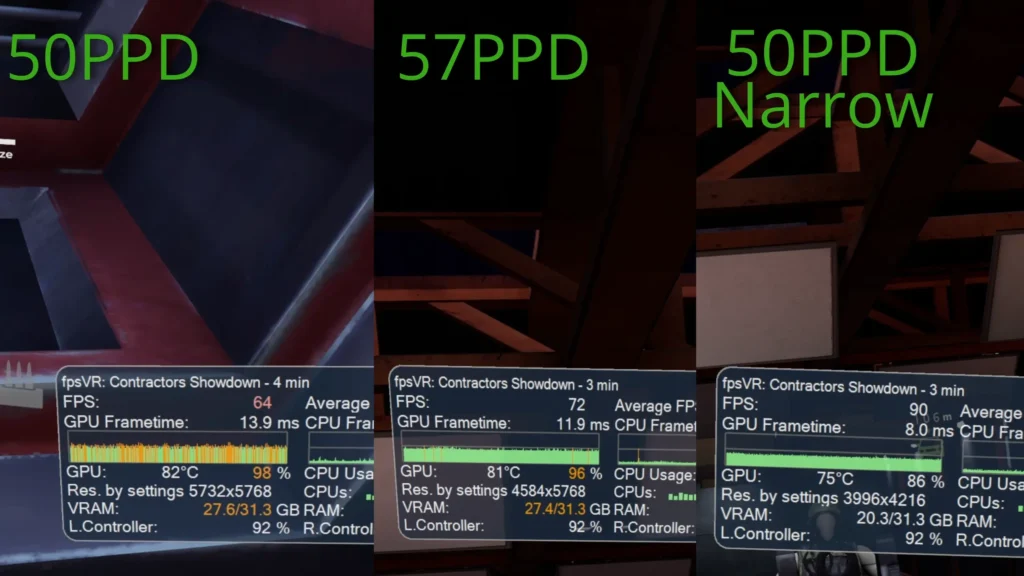
The real surprise came in Contractors Showdown.
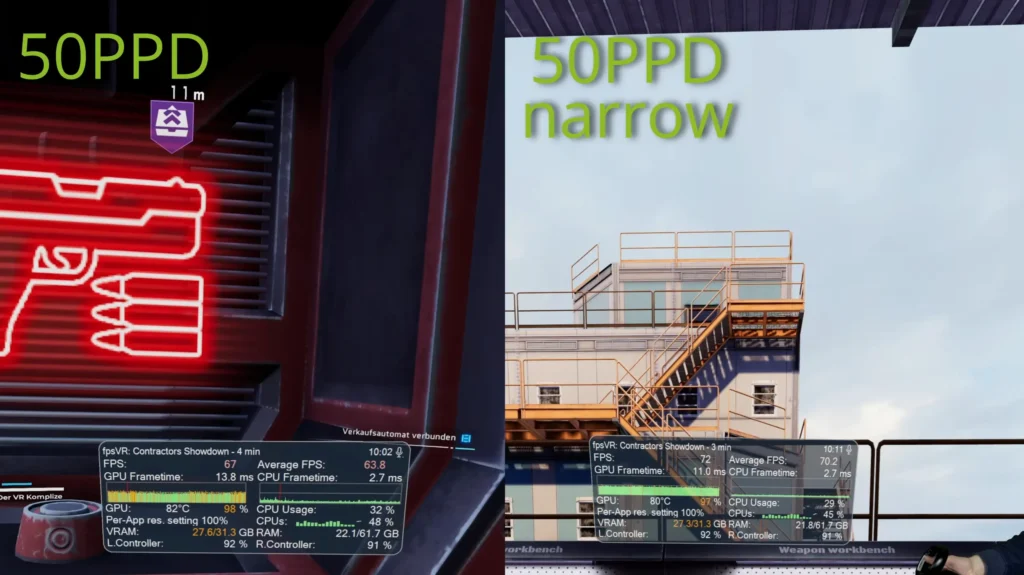
I currently have to run the game through the SteamVR runtime because Pimax OpenXR does not work properly there at the moment. And that is exactly where the behavior suddenly changed completely.
The Narrow Mode of the 50 PPD module did provide a small performance gain, but the system still averaged only around 70 FPS. Then I switched over to the 57 PPD module. Same settings, same scene — but suddenly the game held a completely stable 90 FPS. And in a fast-paced shooter, stable high framerates make a massive difference. Movement feels more immediate, tracking responsiveness improves and quick reactions become noticeably more comfortable.
This is where the 57 PPD module really shows its strength.
Why Narrow Mode Is Not Enough
Ultimately, the explanation comes down to field of view. Even in Narrow Mode, the 50 PPD module still remains above the FOV values of the 57 PPD module overall. The horizontal field of view drops significantly to roughly 106 degrees, but vertically almost nothing changes. That means the GPU still has to render more image area than with the 57 PPD module. And that is why simply reducing the field of view is not enough to fully match its performance.
What genuinely surprised me, however, was the binocular overlap. In normal mode, the 50 PPD module sits at roughly 70 percent binocular overlap. In Narrow Mode, though, that number suddenly jumps to nearly 88 percent. That is extremely high. And it could make the image considerably more comfortable for certain users because both eyes share much more of the same visible image area.
Especially users who are sensitive to stereoscopic inconsistencies or who experience visual fatigue more quickly could potentially benefit from this. That suddenly gives Narrow Mode a completely different meaning. Not necessarily just as a performance feature, but possibly also as a comfort feature.
Conclusion
After all these tests, I am left with a fairly clear overall impression.
For me personally, the 50 PPD module still feels like the more rounded overall package. The larger field of view, bigger sweet spot and reduced chromatic aberrations simply create a more comfortable VR experience. With Narrow Mode enabled, the module can also recover a noticeable amount of performance in some games.
However, it still does not fully reach the performance level of the 57 PPD module. Especially in games like Contractors Showdown, it becomes very clear that the smaller field of view of the 57 PPD module noticeably reduces GPU workload. Completely stable 90 FPS were easily achievable there with the 57 PPD module.
At the same time, I was genuinely surprised by the massive increase in binocular overlap when using the 50 PPD module in Narrow Mode. That was something I absolutely did not expect to this extent.
For users who want to push the 50 PPD module even further, it is also worth taking a look at the OpenXR Toolkit. It allows for much more precise field-of-view adjustments than what Pimax Play currently offers.
In the end, the better choice depends heavily on your personal priorities: a larger field of view and more comfortable overall image, or maximum performance and the highest possible pixel density.
Interested in the Pimax Crystal Super?
You´ll find all current Pimax headsets, optical engines, recommended accessories , and the latest product links in my Pimax Buying Guide.